
SnootySims

How To Fix “Script Call Failed” Error in Sims 4 (5 EASY Steps)

Photo of author
Author: Lina
No Comments

Have trouble with that annoying red pop-up ‘’Script Call Failed’’ error? Read on to discover what you can do and how to solve this error in a few steps.
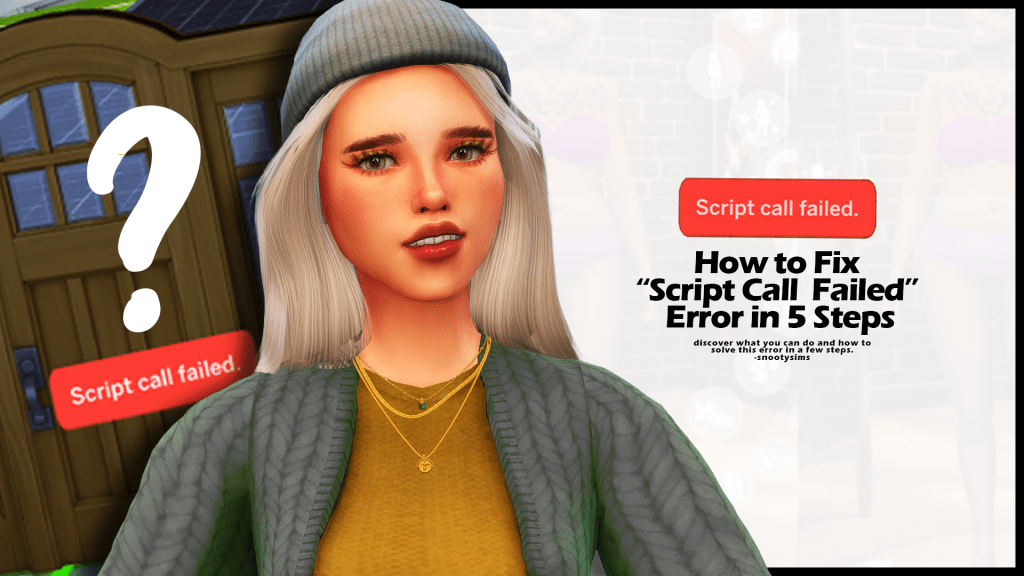
script call failed sims 4
How to Fix “Script Call Failed” Error in 5 Steps

350 CC Items! Time to celebrate! 🎉

Before we begin: Thank you! We’re celebrating 3 years and 350+ CC items. As a gift, supporters can get all our free CC at once here: ALL IN ONE DOWNLOAD

The “Sims 4 Script Call Failed” Error

“Script Call Failed” is one of the most common problems in Sims 4. It’s a red pop-up notification you get after placing stuff from build/buy.

If you’ve ever seen it on your screen, then you know how annoying it can be. But if you’ve never encountered it before, it’s essentially a red bubble with the “Script Call Failed.” text in it. It appears when you’re trying to use your custom content, be that a bed, kitchen counter, tree, or a piece of clothing.

“Script Call Failed.” is such an irritating problem because it means that we can’t use one of our mods and CC. It appears when one or more of your mods/cc files is corrupted, damaged, or isn’t responding at the moment.

How to Fix the “Sims 4 Script Call Failed” Problem?

Due to the lack of updates or another similar reason, CC files often stop working. In order to solve the “Script Call Failed” problem, you’ll need to repair or eliminate the mods/cc file that’s causing the errors. There are different ways to do this:

  1. Repair Your Game Files
  2. Test Mods and CC by Turning them Off
  3. Back up Your Electronic Arts Documents Folder
  4. Repair Your Broken Mods/CC
  5. Reinstall the Game

1. Repair Your Game Files 

The first thing to do when you’re dealing with the “Script Call Failed” problem in Sims 4 is to repair your game files. The idea is to restore the one file that’s causing you this error. But since it’s hard to identify that one file, it’s good to do a basic repair.

To repair your Sims 4 game files, open up your Origin and click on My Game Library. Find The Sims 4 in your game collection and right-click it. Then you’ll need to select Repair. The Origin client will automatically start repairing your game files. The process could last anywhere from 5 to 15 minutes, depending on your PC. Once it’s done, you launch the game again.

If you have Steam instead, here’s what you need to do to repair your game files.

To repair game files and prevent Script Call Failed from popping up again, open up Steam and go to your Steam Library. Find The Sims 4 and click on Properties. Then go to Local Files and select Verify Integrity of Game Files. Again, the process should start automatically and solve the issue for you.

2. Test Mods and CC by Turning them Off

Sims 4 is frequently updated. This means that with every new game update and a new pack, mods and CC that you were using, they can become outdated and incompatible, especially if they are not updated regularly and you can get Script Call Failed to pop up. 

These mods can then trigger errors in the game, such as the ‘’script call fail’’ error, and become more troublesome than fun. This can be the case if you started getting the error soon after you updated the Sims 4. 

So, to test if you can play without mods, go to your game and turn them off. Go to Game Options>Other>Enable Custom Content and Mods (uncheck the box) and Script Mods Allowed (uncheck the box). Apply your changes and restart the game to see if the error pops up again. If it doesn’t – the problem is solved. You can play the game and won’t have to deal with the script call failed error, but you won’t be able to use your mods and CC, at least until you fix and update them.

To do that, apply tips #3 and/or #4 to repair your broken mods and back up your Electronic Arts folder.

3. Backup Your Electronic Arts Documents Folder

If you have turned off your mods and CC, the best thing you can do now is to ensure that the script call failed error won’t pop up again. You’ll do so by backing up your Electronic Arts folder, deleting and updating your mods from scratch (if you want to keep using them). To do that, first, rename your original Electronic Arts folder to differentiate it (e.g.. Electronic Arts Old). Open Origin and make sure you are online there. You’ll know that you are online if under the Origin drop down menu you have the ‘’Go Offline’’ option.

Go to My Game Library, right-click on the Sims 4, and select ‘’Repair’’ from the drop-down menu. Once the repair is done, launch your game. You will need to go to Game Options>Other and check if you have script mods and custom content enabled, and if not, tick the two boxes (Script Mods Allowed and Enable Custom Content and Mods), apply changes to confirm the action and the Exit the game. 

Now, if you go back to the Documents you will see two folders: Electronic Arts Old (this is our old, renamed folder) and Electronic Arts (this one is newly created after you Exited the game and wasn’t there before). This should resolve the Script Call Failed error and it shouldn’t pop up anymore.

However, you will notice that this new version of the Electronic Arts folder has no mod files in the Mod folder. If you want to keep using CC and Mods, what you need to do is go to this newly created Electronic Arts folder and update your CC and Mods. This means downloading them again and checking for updated versions manually. This will take some time, especially if you used to have a lot of mods. Unzip and place all your freshly downloaded Mods to Documents>Electronic Arts>The Sims 4>Mods (remember, don’t touch or paste anything into Electronic Arts Old). Or, you can simply repair your broken mods and CC.

4. Repair Your Broken Mods/CC

If you want to keep playing with your mods and CC, it’s time to repair them to prevent Script Call Failed. If starting from scratch seems daunting, once you’ve backed up your Electronic Arts folder, you can still use your old mods from the Electronic Arts Old folder you’ve previously renamed. Then you can delete and replace only those mods that cause the Script Call Failed issue.

You can try to do it manually, or use one of the mods for scanning problematic content. We’ll explain both. If you want a detailed guide on how you can remove broken CC and mods in Sims 4, visit this guide.

Feel free to watch the below 2-step tutorial to remove broken cc from your game!

But for now, here’s what you need to know.

  • Manual repair – This is the difficult way to spot mods that need repairing. You’ll need to copy content from Electronic Arts Old> The Sims 4> Mods, to Electronic Arts> The Sims 4> Modsfolder. Make sure to copy in small batches, launch the game, place furniture, and see if you get the error. For instance, if you have to copy, copy up to 10 mods and CC and launch the game to see if any of the newly copied 10 mods and CC create issues. Repeat the process every time you copy/paste, and keep track of what you are copying so that if you encounter an error again, you know where to look for trouble. Copying in small batches is important because if you copy many files, it will be harder to detect which one is causing the problem.
  • Repair with mods – While repairing manually may work if you have only a few mods CC installed, this will be time-consuming if you have a ton of mods. This is where detector mods and apps come into play to help track troublesome files that potentially cause Script Call Failed error. There are two that can help you scan for and detect broken files, and there are Trey Importer and Better Exceptions Mod.

Trey Importer tells you which mod or CC is causing the problem for you, so you can simply delete it. And this fixes the error too. You can click here to download the Trey Importer tool for Sims 4. Or try Better Exceptions Mod, which does a similar thing, detects what mods and CC are broken, and help you locate them so you can either update or delete them. 

5. Reinstall the Game

If none of the methods helped you fix the “Script Call Failed” problem, then it’s time to reinstall the game. Unfortunately, reinstalling the game is a troublesome process and it takes a lot of time, especially if you have a slow PC/internet connection. However, it has to be done if you want to play your favorite game.

It’s best to start entirely afresh, but if you don’t want to lose your progress, I suggest you keep your save files if you don’t want to lose your game progress in the meantime. You can also download another player’s save file, so there’s that. 

Conclusion

I have no doubt that one of these methods will work for you. Depending on which file is causing the “Script Call Failed” problem, different methods are going to work. You can always clean your registry or simply delete your mods and CC, but these 3 methods are proven to work. 

Good luck!

related content


Follow SnootySims on Social Media:

Join us on our journey to discover the latest and finest Sims 4 custom content, as well as stay updated on news and rumors surrounding the highly anticipated Sims 5! 🌟

Our Latest Custom Content @ Patreon


Latest CC Finds @ SnootySims


FOR SIMS FANS, WITH LOVE ♥

We're on Patreon, too!

We've now shared 350+ CC packs on our Patreon. Find your next favorites — made with love for your Sims. ♥

Supporters also get a handy one-click download.

Discover our Patreon
FEATURED SIMS 4 CC · AMARA

A little Nordic warmth. 💚

Meet the NORDLYS Set: cozy furniture, soft textures and warm neutrals for your Sims’ homes.

Explore on Patreon Availability and download details on the creator’s Patreon.
SNOOTYSIMS

Privacy Policy

SNOOTYSIMS

Privacy Policy

Effective Date: October 2, 2026
Last Updated: October 14, 2026

1. Introduction

This Privacy Policy explains how SnootySims (SnootySims.com, the “Site,” “we,” “us,” or “our”) collects, uses and discloses personal information when you visit the Site, create an account, subscribe to emails or contact us. It also explains your privacy choices.

2. Information We Collect

We collect information you provide through account features, subscriptions and support requests. This may include your email address, display name, profile photo, preferences and the contents of your messages. Please do not send information that is not needed for your request.

Our Site and service providers may automatically receive your IP address, browser and device information, operating system, referring page, access times, pages viewed, searches, link or ad interactions, and cookie or device identifiers. An IP address may be used to infer approximate location. Advertising partners may derive interests or audience segments from browsing activity.

3. Account Information

We use Clerk for account creation, email/password authentication, sessions, account recovery and security. Account data may include your email address, internal account ID, display name, profile photo, account settings, authentication and password-reset information. If you choose Google sign-in, we receive the information you authorize Google to share.

We use this information to provide account features, recover access, respond to support requests and prevent fraud or abuse. If you use My collection, we store the CC items you save and your 20 most recent distinct searches with your account. You can remove favorites and clear your search history in My collection. These lists are private and are not published to other users. You can contact us to request deletion of all associated records. Account registration does not automatically enroll you in marketing emails.

4. Newsletter and EmailOctopus

If you separately subscribe, we may send newsletters, new Sims content, site updates and occasional promotional emails. Subscription is optional and is not required to create an account. Essential account, security and service emails are separate from marketing.

We use EmailOctopus to manage newsletters, with Amazon SES for delivery through EmailOctopus Connect. Subscriber information may include your email address, optional name, consent and subscription status, signup source and time, confirmation records, unsubscribe status, delivery information and technical information needed to send emails.

Where campaign tracking is enabled with any required consent, EmailOctopus may record email opens through tracking pixels and link clicks to help measure campaign performance. See the EmailOctopus Privacy Policy.

You can unsubscribe using the link in any marketing email or by contacting snooty@snootysims.com. We may keep limited suppression records to avoid sending further marketing or accidentally resubscribing you. Unsubscribing does not stop essential, non-promotional account or service messages.

5. How We Use Information

We use information to operate SnootySims, provide and secure accounts, recover access, answer requests, send subscribed communications, improve content and performance, understand site use, prevent fraud, meet legal obligations, and deliver and measure advertising, including personalized advertising where applicable.

6. Cookies and Similar Technologies

We and our providers may use cookies, local storage, pixels and similar technologies for sessions, security, preferences, analytics, advertising and ad measurement. For example, browser storage remembers site preferences and guest usage limits.

You can manage cookies through your browser and use privacy controls available on the Site. Blocking storage may affect account features or preferences. Raptive advertising controls apply to Raptive ads; they do not necessarily control every other service on the Site.

7. Analytics and Google Services

The Site uses Google Tag Manager to load configured tags. Where Google Analytics is enabled, it may process device and browser information, page views, referrals, session activity, approximate location and cookies or similar identifiers to help us understand site use and improve content. Google also processes information when you choose Google sign-in. See the Google Privacy Policy.

8. Advertising and Raptive

Advertising.

CMI Marketing, Inc., d/b/a Raptive (“Raptive”) is a service provider of this Site for the purposes of placing advertising on the Site, and Raptive will collect and use certain data for advertising purposes. To learn more about Raptive’s data usage, click here: Raptive Advertising Privacy Statement

Raptive and its partners may use cookies, device identifiers, IP addresses, browser information, browsing and ad activity, approximate location and inferred interests for personalized ads, measurement, analytics and fraud prevention. These disclosures may qualify as a “sale,” “sharing,” or “targeted advertising” under state privacy laws, even without exchanging a customer database for money.

9. Advertising Privacy Choices

For US visitors, Raptive supplies a “Do Not Sell or Share My Personal Information” control through its ad code, ordinarily at the bottom of the homepage or the first ad-supported page you visit. Use that control to manage Raptive advertising choices. If it is unavailable, contact us. Opting out does not remove all ads; contextual or non-personalized ads may still appear.

Browser-based choices may need to be repeated on other browsers or devices or after clearing cookies.

10. How We Disclose Information

Information may be disclosed to hosting, infrastructure, authentication, email, analytics and security providers to operate the Site; to Raptive and advertising partners for the purposes described above; when required by law or necessary to protect rights and security; and to parties involved in a merger, acquisition, financing or sale of business assets, subject to applicable law. Providers may process information outside your state or country, including in the United States.

11. US State Privacy Rights

Depending on your state of residence and whether the applicable law applies to SnootySims, you may have rights to confirm processing, access, correct or delete information, obtain a portable copy, and opt out of sale, sharing, targeted advertising or certain profiling. Where applicable, you may limit certain sensitive-information uses and appeal a denied request. We will not unlawfully discriminate against you for exercising these rights.

12. California Privacy Notice

This section applies to the extent SnootySims is subject to the California Consumer Privacy Act, as amended.

  • Identifiers: email addresses, IP addresses, account IDs and cookie or device identifiers.
  • Account information: profile details, preferences and authentication information, as applicable.
  • Internet activity: pages viewed, searches, clicks and Site or advertising interactions.
  • Approximate location: location inferred from an IP address.
  • Inferences: advertising interests or audience segments derived by advertising partners.

Sources include you, your browser or device, authentication services and advertising partners. We use and disclose these categories for the purposes and to the recipients described above. Advertising identifiers, online activity, approximate location and inferences may be sold or shared in connection with Raptive advertising.

Eligible California residents may request to know or access information, correct or delete it, opt out of sale or sharing, and limit certain uses of sensitive personal information where applicable. The reference to sensitive information describes a potential legal right, not a claim that we collect every sensitive category. Account authentication information is used to provide and protect accounts.

13. Exercising Your Rights and Account Deletion

Email snooty@snootysims.com to make a privacy request, request account deletion or appeal a decision. We may ask for information reasonably needed to verify your identity or an authorized agent’s authority. We respond within applicable legal time limits. Deletion may be subject to security, legal or other permitted exceptions.

Other applicable laws may also give you access, correction, deletion, portability, objection, restriction and complaint rights. You may withdraw consent for consent-based processing without affecting earlier lawful processing.

14. Global Privacy Control

Raptive states that its advertising systems recognize Global Privacy Control (GPC) as an opt-out signal. Qualifying GPC signals are treated as opt-out requests where applicable law requires. These browser-based advertising choices do not delete your account or unsubscribe you from emails. GPC is different from the older “Do Not Track” signal; we do not promise a uniform response to that older signal.

15. Retention and Security

We keep information for as long as reasonably necessary for the purposes described here, including providing services, security, legal compliance, resolving disputes, fraud prevention and respecting unsubscribe requests. After an eligible deletion request, information may be deleted or de-identified, subject to applicable exceptions.

We use reasonable administrative, technical and organizational safeguards. No storage or transmission system is completely secure.

16. Children’s Privacy

SnootySims is a general-audience site and is not directed to children under 13. Children under 13 should not create accounts or subscribe to newsletters. We do not knowingly collect children’s personal information in circumstances prohibited by COPPA. Contact us if you believe a child has provided such information.

Where applicable, sale or sharing of personal information of users known to be under 16 requires the authorization specified by law, including parental authorization for children under 13.

17. Third-Party Websites and Services

Links to downloads, creator websites, social networks and advertisements take you to services with their own privacy policies. Embedded content may also send information to its provider when loaded or used. We do not control those providers’ privacy practices.

18. Changes to This Policy

We may update this policy as our services or practices change. We will change the Last Updated date and provide additional notice or request consent where required by law.

19. Contact Us

SnootySims
Website: SnootySims.com
Email: snooty@snootysims.com

20. Premium Subscriptions and Payments

Premium-specific information updated October 14, 2026.

The service operator is identified in our Premium terms. Contact snooty@snootysims.com with account or privacy questions.

Account information

We use Clerk for registration and sign-in. Your email address and account identifier associate the subscription and access permissions with your account. See the Clerk Privacy Policy.

Payment processing

Stripe processes Premium payments and subscription billing. We send your account email and a subscription reference to Stripe to link payment to the correct account and prefill checkout. Stripe and your selected payment provider receive billing details, payment information, transaction details and technical information needed to process payments, calculate applicable taxes, authenticate payments, prevent fraud and meet legal obligations. Full card details are entered in Stripe’s payment form and are not stored by SnootySims. See the Stripe Privacy Policy. If you choose PayPal or another wallet, that provider’s privacy policy also applies.

Subscription access and support

We store customer and subscription identifiers, plan, payment and subscription status, billing-period information and account references to provide Premium access. We use support information to resolve access and billing issues and assist with cancellation or refunds. These uses support the requested subscription service, security and legal obligations. Records are kept as needed for these purposes and applicable recordkeeping requirements. Canceling renewal does not automatically delete your account or records we must retain.

Privacy requests

Email snooty@snootysims.com to request access, correction or deletion and exercise other applicable privacy rights. Requests about Stripe’s own processing can also be directed to Stripe using the contacts in its privacy policy.

Product & pricing · Premium terms · Refunds & cancellation

Open the full Privacy Policy ↗