

Are you ready for some of the trickiest challenges the Sims 4 community has ever seen? The Apocalypse Challenge calls you to salvage a lost city that was once hit by a nuclear meltdown. Read on to learn how to play by the rules and how you can bring life back to normal!

350 CC Items! Time to celebrate! 🎉
Before we begin: Thank you! We’re celebrating 3 years and 350+ CC items. As a gift, supporters can get all our free CC at once here: ALL IN ONE DOWNLOAD

What Is The Sims 4 Apocalypse Challenge?
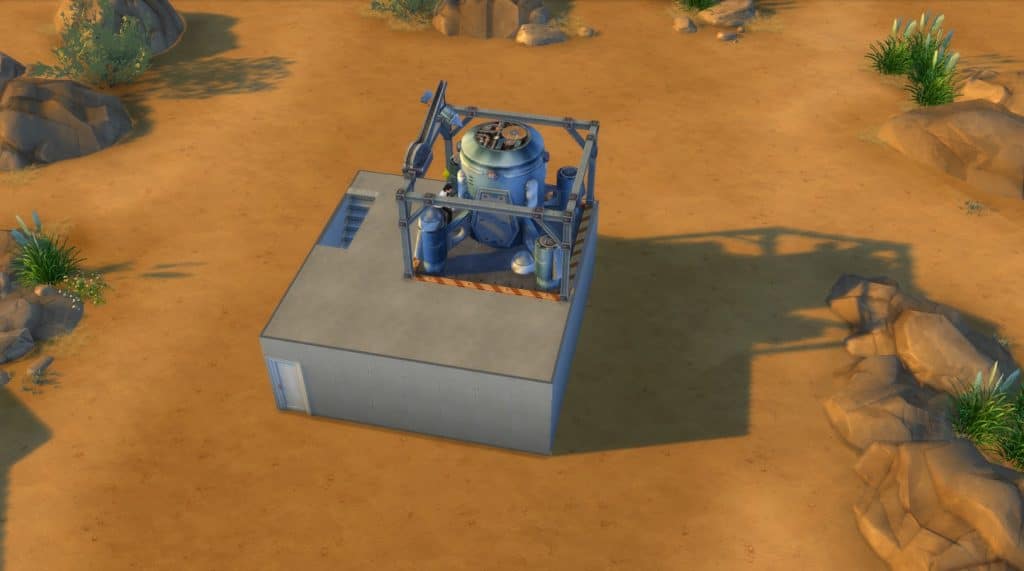
20 years ago, the nuclear power plant of Glassbold melded down, causing a chain reaction of devastating effects. Now, it’s your job, dear simmer, to help this region recover from the nuclear catastrophe in the Apocalypse Challenge! Because of the radiation and malfunctioning objects, you and your Sims will face many restrictions. The only way to make life easier for your Sims is to do what you can to help them climb to the top of their career, and lift those restrictions, one by one. One career maxed out – one restriction lifted.
The original Sims 4 Apocalypse Challenge was created by Pinstar and updated by poopsiesims to include some of the newer careers from DLC’s (although not all). This guide includes both the original and the updated rules. However, you can also check a modified version by Raerei. The challenge ends when all restrictions from the challenge are lifted. Now, onto the rules and restrictions!
General Challenge Rules
General challenge rules are active all the time, and you must stick with them from the first till the last day of your challenge.
- You must play on a normal lifespan.
- Cheats are not allowed.
- Mods and CC are not allowed, if they give you an advantage in playing the challenge.
- Aging up early is not allowed.
- One Sim can lift restrictions for only one career. Even if they excel in more careers, the rules will be lifted for the first career only.
- Moving to new lots is not allowed.
- Adopting infants and children is not allowed.
- If a teen reaches the top of a teen career, they won’t be able to lift restrictions for an adult career later on if they excel in it.
- You must play only your active household during the challenge.
- Always follow career-specific restrictions until they are lifted (when Sim reaches the top of their first career). Only then can career-specific objects and actions become allowed in the whole household.
Now, let’s play!
More on SNOOTYSIMS: Are you ready to get stuck in an asylum with insane Sims? That’s exactly what you’ll need to do if you decide to play the Asylum challenge!
1. Pick One Of The Three Challenge Variations
Before you get started, it’s not good to know in what direction you are headed with the challenge. There are three Apocalypse Challenge variations, so pick one depending on your preferences:
- Original Version by Pinstar
This version is limited to the base game and a few first expansion packs, and rules are not updated to include newer careers. If you wish to play the challenge with fewer careers, the original is definitely the choice for you.
- ‘Two Birds’ Variation
If you pick this variation, you can lift the career restrictions for both branches in one career if you excel just in one. For instance, if your Sim reaches level 10 in the Tech Guru Start-Up branch, they will automatically lift restrictions for the eSports gamer branch, too.
- ‘It Takes a Village’ Variation
The challenge is designed for one family only. However, with this variation, you can have three founders whose households you play, and they and their families can all work towards lifting restrictions. If you choose this, just make sure there is no one else living in that town but your three founders.
2. Choose Your Hero!
To start the Apocalypse Challenge, you need only one jobless founder Sim who can be a young adult or older. Make a new Sim in CAS, get one from the Gallery for the purpose of this challenge, or choose an already-made Sim with developed skills and some life experience. If a pre-made Sim has a family, make sure you split them so that you can begin the challenge with the founder Sim only.
Once you’ve chosen your founder, choose an empty lot in any Sims 4 world, and move them in. If they had a job, make sure they quit. Anything they did for a career before the challenge began doesn’t count. Now that they have moved in, they are starting the challenge with a clean slate.
3. Create Your Apocalypse Challenge Strategy
This is one of the most complicated Sims 4 challenges, so you will need to come up with a strategy that works for you. The fewer days you need to finish the challenge, the better your Apocalypse Challenge score will be.
There are no strict rules as to which career gets unlocked first, and you can pick any career from the table below and start from there. However, know that some career restrictions are quite intertwined. For instance, to be able to take the Doctor career, which is an active one, you must first unlock the Politician Career.
Below, you find a table with all career-related restrictions. Analyze them to figure out the priorities that should be unlocked first. If you want to play by chance, you can always use a playing dice or an online random number generator (1-6). Every career listed has a number from 1 to 6. So if you go for this option, roll the dice, and choose one of the careers listed under that number to play next.
4. Start Lifting Career Restrictions
Oh, the tricky career restrictions! The beginning of the challenge is the toughest. All restrictions from the table are applied from the first day you start playing the challenge, so read them all.
As you level up and max out careers, restrictions associated with them are lifted, one by one. The more career restrictions are lifted, the easier the challenge will get. Get very familiar with restrictions, and start playing based on the strategy that feels right to you. Now, to the restrictions!
| CAREER | NO. | RESTRICTIONS |
| Tech Guru (Startup) | 1 | – You can purchase only the worst version of any type of an item. For example, you must choose the cooking item in stoves with the worst stats. If a class of items doesn’t have stats at all, you can use any item from that class. – If another restriction locks an entire item class, that one takes priority until it’s unlocked. |
| Tech Guru (eSports Gamer) | 2 | – Sims can only use a PC for completing daily job tasks, and nothing else. |
| Business (Investor) | 3 | – Everything from outside world is toxic. You can’t sell harvestables and collectibles, or anything from the build/buy. – Can’t publish songs or books (you can self-publish), write or sell Jingles. – Can’t have any interactions for found items with Geo Council. |
| Business (Management) | 4 | – Cherish your job, as it isn’t easy to get one in these trying times. Your Sim can’t ever have days off. If they are ever late for work or leave early, they must quit the job and can never get that career again. – If your Sim quits or switches to another job, they can never get their old job back. – Elders are not allowed to retire. – Sims can’t ‘play hooky’. – Sim must always ‘work hard’ or ‘work normally’ when at work. – These rules apply to after-school teen careers. |
| Culinary (Chef) | 5 | – The meltdown caused an electrical hazard. Purchasing or placing stoves, ovens, microwaves, refrigerators, or coolers isn’t allowed. – You can only grill fish on fire pits. |
| Culinary (Mixologist) | 6 | – Water is seriously contaminated, so Sims can’t drink any drinks made at the bar. – Drinking Lifetime Happiness potions from the reward store is forbidden. – Sims can’t have drinks from the cooler/fridge. – Sims can’t brush their teeth at the sink. – Newborns can’t be bottle-fed. – Your Sim can make drinks for practice, but once made, you have to dispose of those drinks. |
| Astronaut (Space Ranger) | 1 | – Being outside isn’t safe. Sims can’t sleep outdoors or use tents. – Cloudwatching, stargazing, or using the telescope is forbidden. – All objects you own must be covered under a roof and four walls, except the mailbox, trash can, and rocket ship. – Sims can’t travel to Granite Falls. – You can’t have mood auras on any mood aura objects. |
| Astronaut (Interstellar Smuggler) | 2 | – Sims aren’t allowed to sell, place, or use career reward items. – You can’t upgrade any objects except rockets. |
| Painter (Master of the Real) | 3 | – Apathy is the new normal. Painting mood-aura paintings isn’t allowed. – Authors can’t write emotional books. – Handy Sims can’t create emotional aura items on the workbench. |
| Painter (Patron Of The Arts) | 4 | – Sims can’t self-publish books. – Sims can’t sell any Sim-produced objects. |
| Writer (Author) | 5 | – Sims can’t order books online or from bookshelves, or visit libraries. |
| Writer (Journalist) | 6 | – Sims can’t buy tubs or showers. – When getting intimate, and you have the choice between ‘Try For Baby’ and ‘Woohoo’, always choose ‘Try For Baby’. – Sims can’t take a pregnancy test on a toilet. |
| Secret Agent (Diamond Agent) | 1 | – Travel is out of reach. Sims can’t travel to Granite Falls or Selvadorada. – Sims can’t go to festivals. |
| Secret Agent (Villain) | 2 | – When you start the challenge, you can only build on an 8×8 area on your lot. You can have a basement or upper floors, nothing can be placed outside that 8×8 square area. |
| Entertainer (Musician) | 3 | – The world is grim, joyless, and people are hopeless. Purchasing or using radios and stereos is forbidden. – You can only practice instruments, but can’t do any other interactions on them. – You can’t change Sim’s aspiration (even once completed). – You can’t cancel Wants and Fears. – If Charity Organizer is unlocked, you can add one good lot trait once this career is completed. |
| Entertainer (Comedian) | 4 | – After the meltdown, everyone is being watched. Throwing parties is forbidden. – Going on dates is forbidden. – Inviting guests to the home lot is forbidden Only one Sim can join your household per generation, and you must remove the fund they bring with money cheats. – Mirrors can only be used to practice speech. |
| Criminal (Boss) | 5 | – Crime is on the rise. The criminal gang in the city wants all your money, and will come to get it every Sunday. Use money # cheat to reduce family funds to $0 every Sunday. – You can’t spend money until bills are paid. – Use money # cheat to remove any money brought in by a spouse. |
| Criminal (Oracle) | 6 | – You can’t cancel autonomous actions unless they go against the challenge rules. – You can’t give commands to, or cancel autonomous behaviors of elders, unless their actions go against the challenge rules. |
| Athlete (Proffesional Athlete) | 1 | – Purchasing reward traits is forbidden. – Gym equipment can only be used by someone in the Athlete Career, unless for mentoring for the career. |
| Athlete (Bodybuilder) | 2 | – Stuff is hard to come by, so every item you own matters. You can’t sell or move any objects bigger than 1×1 once they are placed and you exit the build/buy. – Only one stack of objects in personal inventory is allowed at a time. – You can’t remove any items out of the family inventory and put them on your lot once they are in inventory, no matter the size. |
| Teen Career (Babysitter) | 3 | Use a random trait generator every time an infant, toddler, child, or teen age up. – Use the random generator every time when choosing aspirations in the challenge. – Don’t use music or fruit to influence the gender of a baby. – Choose only one toy for all toddlers and kids to share. |
| Teen Career (Fast Food Employee) | 4 | – Sims aren’t allowed to have a ”Quick Meal” from the fridge. – Sims can’t order snacks from the bar. – Sims can’t order pizza. |
| Teen Career (Manual Labor) | 5 | – Modern-life services and conveniences are unavailable. Sims can’t hire service Sims. – Can’t take odd jobs. |
| Teen Career (Retail Employee) | 6 | – Buying or building new objects from the build/buy is allowed only on Sundays. – If the Criminal (Boss) restriction is still at play, you can buy whatever you need before you reduce family funds to $0 (if bills are paid). – You can only replace broken objects on Sundays. |
| Teen Career (Barista) | 1 | – Sims can’t buy or use tea or coffee-related items. – Sims can’t buy or use the lump of clay object. |
| Actor/ Actress | 2 | – Social Media, Style Influencer, and Entertainer restrictions can be suppressed once a Sim reaches the top of a career, but the restriction will only be lifted as long as the Actor/Actress sim is alive. |
| Critic (Arts Critic) | 3 | – Decor is a luxury. Sims can’t buy sculptures, wall hangings, or rugs. – Sims can’t participate in holidays. |
| Critic (Food Critic) | 4 | – Sims can’t start a business or run restaurants. – Sims can’t buy pre-made food or sell crafted food, as it’s all contaminated. – Can’t use birthday cakes. – Can’t bake. |
| Detective | 5 | – Just leaving the house requires good immunity. Teens and elders can’t leave the lot without having level 10 fitness. – Sims can’t take job offers from other Sims. |
| Scientist | 6 | – You must play on the Off the Grid lot, even if the Charity Organized restriction has been lifted. – Electronic devices are not allowed (lights, electric guitars, robots, etc…). You can only use the cheapest PC. |
| Doctor | 1 | – Sims can’t use any water-using objects (e.g. showers, bathtubs), except the sink. – Must ‘Try For Baby’ even when Woohoo is available. – Can’t take pregnancy tests. – Can’t purchase or make medicine. |
| Gardener (Botanist) | 2 | – Only the most skilled can grow plants. Sims who are not in the Botanist career aren’t allowed to plant, grow, or cultivate plants in any shape or form. They can only harvest wild plants. |
| Gardener (Floral Designer) | 3 | – Greenery can’t flourish in a contaminated area. Change season settings to make the longest summers or winters possible. – Decorative plants, wedding arches wishing well, and cow plants are forbidden. – Using terrain tools is forbidden. – Ordering seeds is forbidden. |
| Politics (Polititian) | 4 | – Sims can’t take active or semi-active careers. |
| Politics (Charity Organizer) | 5 | – Your lost must be Off-the-Grid, and have two of these traits: Quake Zone, Volcanic Activity, Cursed, Grody, Gremlins, Filthy, Haunted, Needs TLC, Creepy Crawlies. |
| Social Media (Internet Personality) | 6 | – Sims can’t use any items that fulfill fun or social needs unless the object also has some practical use. For instance, playing a chess is both fun and useful (builds logical skills) – Sims can’t play video games, even if eSports Gamer and Computer Engineer |
| Social Media (Public Relations) | 1 | – Socializing is limited. Joining or starting clubs isn’t allowed. – Traveling to lots with Sims who are not from the same household is forbidden. – Inviting Sims over is forbidden, unless in love or engaged (if the Computer Engineer restriction is lifted). |
| Style Influencer (Stylist) | 2 | – Sims can’t change clothes. They must wear whatever outfit the game generates for them until career restriction is lifted. |
| Style Influencer (Trendsetter) | 3 | – Makeup and accessories are forbidden. – Changing hair is forbidden. |
| Military (Officer) | 4 | – Sims can’t travel to community lots. – Attending college is forbidden (even if Education career restrictions are lifted) – Sims can’t move out. |
| Military (Covert Operator) | 5 | – Using or placing supernatural abilities or objects is forbidden. Anything magical is forbidden (e.g.. wishing well, gnomes, crystal crowns,…) – Sims can’t release ghosts to the netherworld, move, sell, or delete graves and urns. – Once the restriction is lifted, you can add one good lot trait (if Charity Organizer restrictions are also lifted) |
| Education (Professor) | 6 | – Universities are closed. Sims can’t attend college or get degrees (even if Military Officer restrictions are lifted). – Engineering restrictions can only be suppressed. – When you lift restrictions for this career, you can place one inspiring or focusing mood object on your apocalypse lot. |
| Education (Administrator) | 1 | – Teens can’t go to school. – If Professor restrictions are lifted, Sims can’t live in dorms, or get a degree at home. Instead, they have to live in an off-campus housing and respect all rules that apply to the home lot. – Helping with homework or tutoring is forbidden unless required by a career. |
| Law (Judge) | 2 | – Criminal, Detective, and Politics careers can only be suppressed. |
| Law (Private Attorney) | 3 | – Sims can’t use any ”Get to Know” interactions on any potential candidates for marriage. The traits, career, or personal preferences of their ”chosen one” must remain a mystery until that partner joins the active household. – Breakups and divorces are forbidden. – You must marry the first Sim you are romantically bonded with. |
| Engineering (Mechanical) | 4 | – Fountains, fish tanks and bowls are forbidden. – You can’t place more than two items from each build mode category per day. The only exception to this rule is day 1 when you are allowed to establish your home as you like. – You must use only the cheapest build materials (even when Tech Guru – Startup restrictions are lifted). – Once completed, you can add one good lot trait (if Charity Organizer restrictions are also lifted) |
| Engeneering (Computer) | 5 | – Having high-tech stuff is just a dream. Building robots is forbidden. – Sims can only have the worst PC even if Tech Guru (Startup) and Scientist restrictions are lifted. – Using or placing chemical analyzers, microscopes, or any other high-tech devices is forbidden unless needed for completing a daily task. – The cell phone can only be used to take or quit jobs. You can use your phone normally only on Saturdays from 12 to 6. – TVs and electronic notebooks are forbidden. |
Conclusion
Choosing the right strategy when playing the Apocalypse Challenge is everything. Although you can really challenge yourself, play by luck, and pick careers randomly, crafting the right strategy will help you get ahead faster and unlock key items/ interactions earlier. You get to decide how easy the challenge will be. Enjoy and happy simming!