
SnootySims

The Sims 4 Photography Skill: Capture Photos Like a Pro!

Photo of author
Author: Dyan
No Comments

Want your Sims to dabble in the creative pursuit of capturing photos? Help them master the photography skill, which could let them turn photos into actual simoleons!
Photography Skill Header

350 CC Items! Time to celebrate! 🎉

Before we begin: Thank you! We’re celebrating 3 years and 350+ CC items. As a gift, supporters can get all our free CC at once here: ALL IN ONE DOWNLOAD

Learn Everything There is to Know About the Photography Skills in The Sims 4!

Photography in The Sims 4 is a valuable skill that can help your Sims tap on their creative side and even let them earn some simoleons on the side. To level up in this skill, they just need to take pictures of different subjects, like Sims, objects, pets, and landscapes. It is a slow-progressing skill, but it is possible to reach the maximum level of 5 with enough effort.
There are a couple of things your Sims can do to boost their photography skill in The Sims 4 and unlock its benefits. The tips that we’re going to share in this post have all been tested by multiple Simmers, and we have even included a nifty photography cheat below. So let’s begin!

The Photography Skill in The Sims 4

Buying a Camera

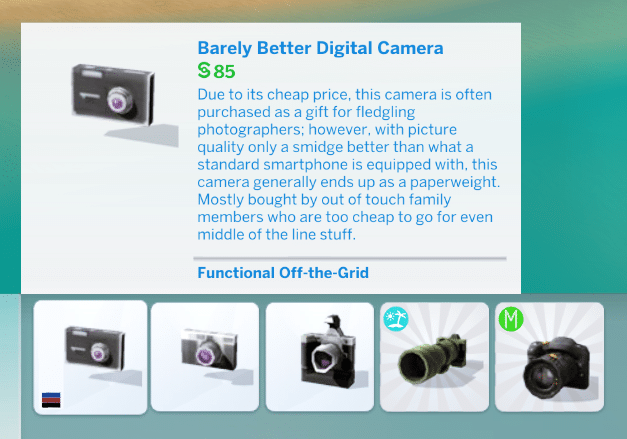
The first thing that you’ll want to take care of is purchasing the right camera. Of course, your Sims can always use their camera phone for taking photos, but if you want them to be true pros, you would let them purchase a genuine digital camera. To do this, visit the Buy Mode and find the digital cameras under the Hobbies & Skills tab. Here is an overview of all the options available:
Barely Better

Barely Better Digital Camera – it costs 85 simoleons and has an okay quality. But, it is mostly for small pictures. This is not recommended for big landscapes. 
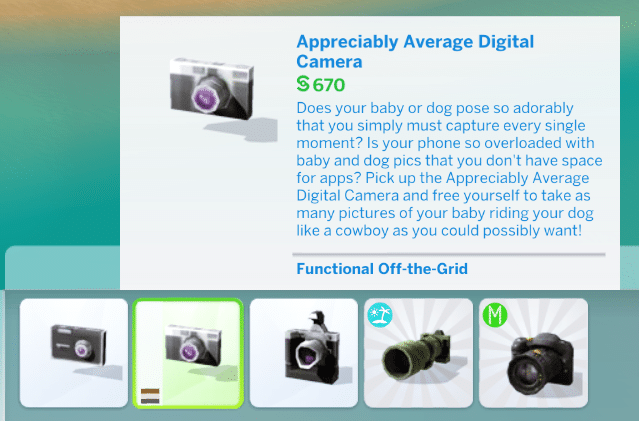
Appreciably Average

Appreciably Average Digital Camera – it costs 670 simoleons, and it has good quality for medium-sized pictures. You can use the Zoom and Flash tools as well.
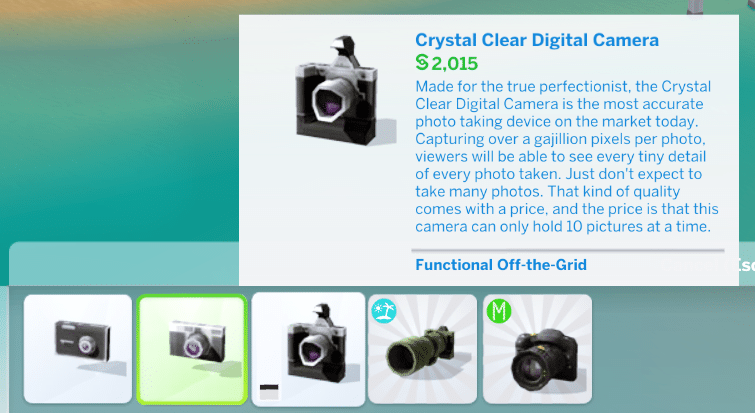
Crystal Clear

Crystal Clear Digital Camera – it costs 2,015 simoleons, and it’s useful for everything. It has the perfect picture quality with all of the tools available for use.
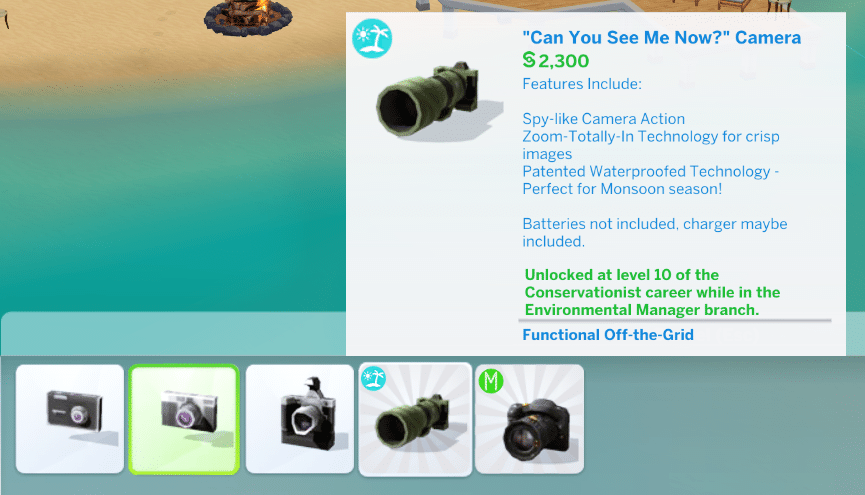
Can You See Me Now

“Can You See Me Now?” Camera – If your Sims are pursuing the Environmental Manager branch of the Conservationist career, they can get this cam for 2,300 simoleons once they reach level 10.
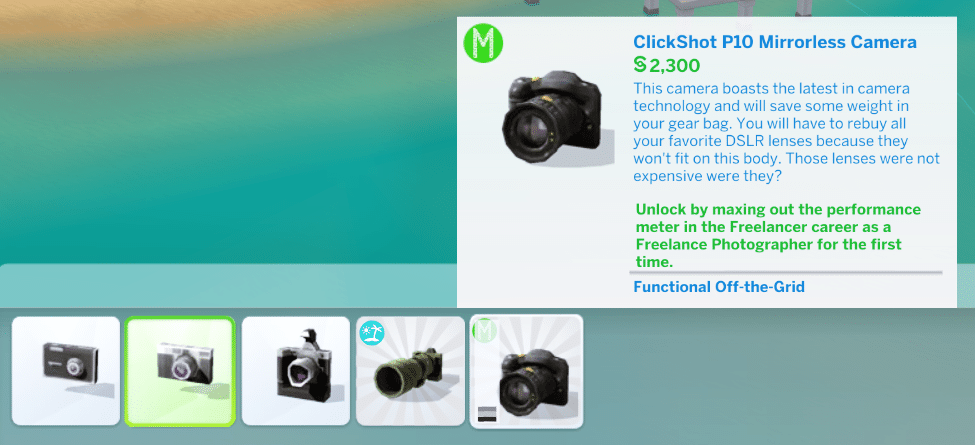
ClickShot P10

ClickShot P10 Mirrorless Camera – The most expensive camera in The Sims 4. Available for 2,300 simoleons, this can be obtained through the Freelance Photographer career.

You’ll want to pick the Crystal Clear Digital Camera for all of its benefits mentioned above. It also has the highest chance of giving you Outstanding photos, which is ultimately great if you want to turn your Sim into a pro photographer. For an even better choice, let them try the Freelance Photographer career, and max out the performance meter so they can then opt to get the ClickShot P10 Mirrorless Camera.

Getting Inspired
camera8

A thing that plays a significant role in leveling the photography skill in The Sims 4 is your Sim’s traits and aspirations. Generally, you’ll want them to be an artist. This means that giving them traits like Creative or Art Lover is almost necessary. With these traits, they can become inspired easily, which is the key to taking more photos and leveling up the skill faster.

Taking “A Thoughtful Shower” is a good action that they can do to repeatedly get in the Inspired moodlet, as well as to observe art through the “Admire Art” interaction. Lastly, if you own the Outdoor Retreat game pack, you could also let them go “Cloudgazing” which is another proven way of getting in the inspired mood.

Taking Pictures
camera1

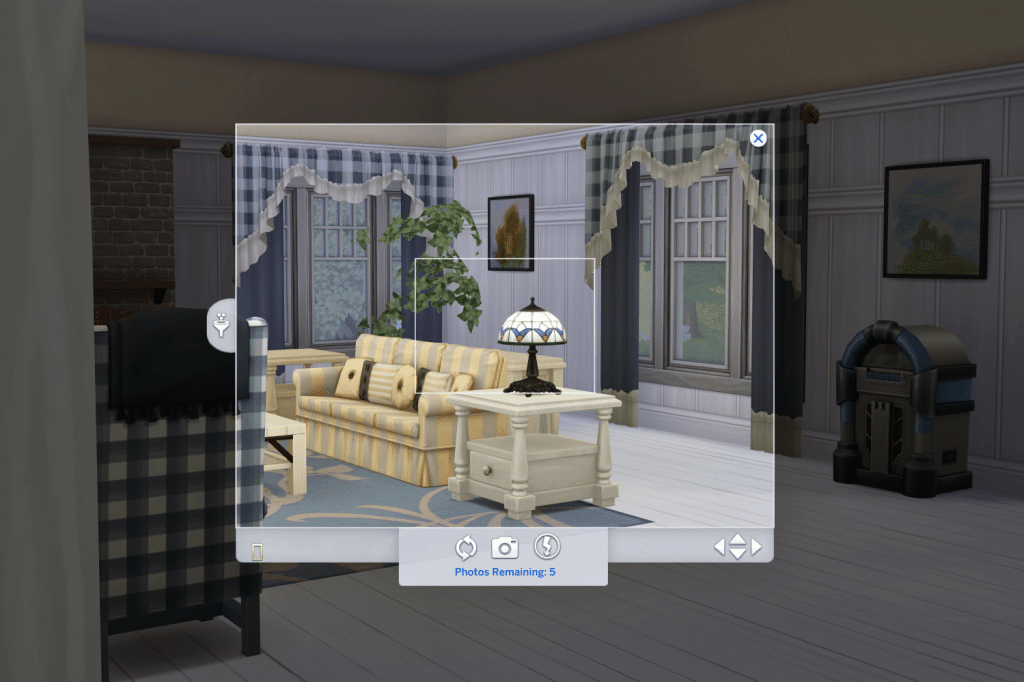
Taking pictures in The Sims 4 is pretty straightforward. When you click on your Sim’s phone camera or their digital camera from their inventory, you can choose to take a picture of a specific thing, to Simstagram pets, or to allow your Sims to take selfies with someone. You, as a player, will then be able to pull up an actual camera interface, which you can point and shoot toward various subjects. There are several affordances in the said camera, which you can adjust, such as the flash, the size of the photo, the orientation, and more.

Taking Better Sims Photos and Selfies
camera4

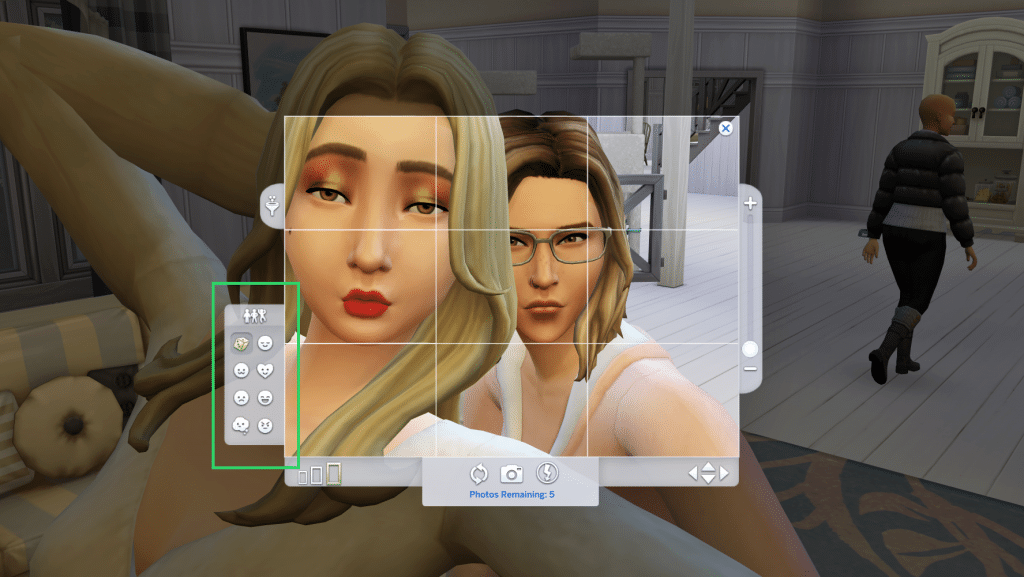
The camera interface actually has a lot of other interesting features that plenty of Simmers haven’t tried exploring. In taking photos of a single Sim and in taking selfies, you will notice a bar on the left side of the camera. The upper button lets your Sims switch their poses, while the emoji-like buttons at the bottom will allow them to modify their reactions! These features are especially cool when taking selfies. Combine pressing these upper and lower buttons and witness your Sims come up with plenty of wacky and interesting poses.

Customizing Photographs
camera5

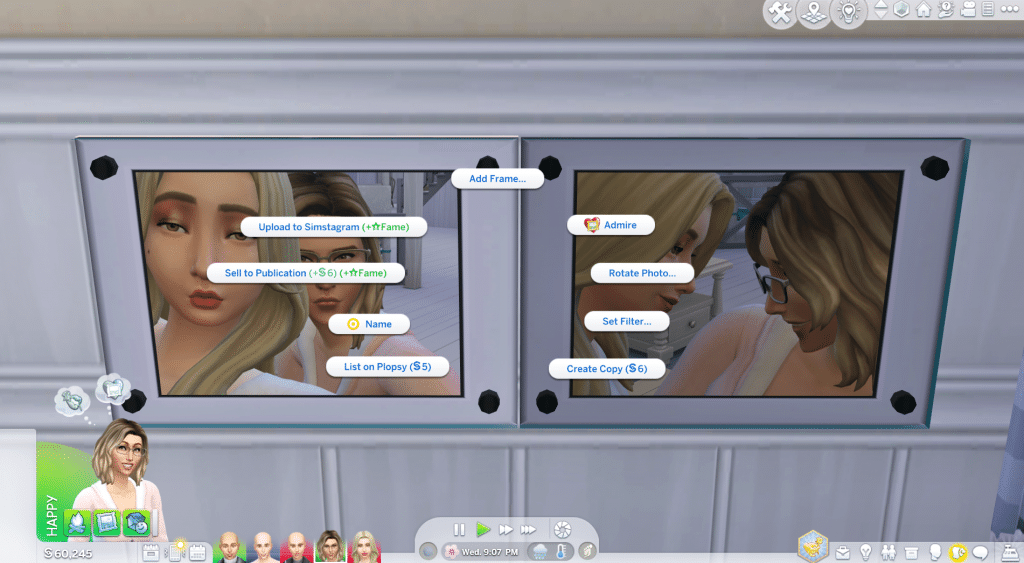
After taking photos, these shots will be accessible in the inventory of your Sims. You could place these photos on the wall, or just let them be. When you click on these photos, your Sims can do the following interactions:

  • Upload to Simstagram – This lets your Sims upload the photos to Simstagram, which also gives fame points.
  • Sell to Publication – Your Sims can also sell the photos to a publication, which also gives them fame points.
  • Name – Your Sims can name the photos however they want to.
  • View – They can simply look at the images and appreciate them.
  • Rotate photo – Your Sims can turn the photos’ orientation, from portrait to landscape, and vice versa
  • Set Filter – If you’re unhappy with the color of the photos, Sims can set the filter to Black and White, Bright, Cool, Dark, Invert Colors, No Filter, Oversaturate, Sepia, White Vignette, Undersaturare, Warm, or Vignette.
  • Add Frame – This lets your Sims add Black, White, Yellow, Silver, Red, Light Wood, Dark Wood, Red, or Blue frames to the photos.
  • List on Plopsy – Sims can also list the photos on Plopsy for 5 simoleons, and wait for an offer for them.
  • Create copy – Create further copies of the original shots for 6 simoleons each.

More on SNOOTYSIMS: Would you like to turn your Sim into a top-tier gamer at the speed of light? If so, then video game skill cheats are exactly what you need to make that happen! 
sims 4 gaming skill1

Photography Skill Cheat

Maximizing the photography skill would take quite a while, especially since your Sims would not always have the chance to take photos all the time. If you want them to instantly max out their photography skill, you can do so with a helpful cheat! Just follow these steps:

  1. Activate the cheat console by pressing CTRL+Shift+C.
  2. Type testingcheats true and hit enter.
  3. Input this code: stats.set_skill_level Major_Photography 5 then press enter again.

Photography Benefits
camera9

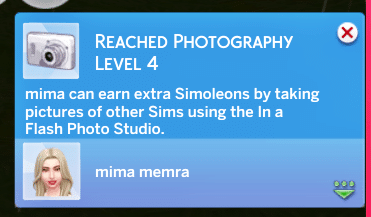
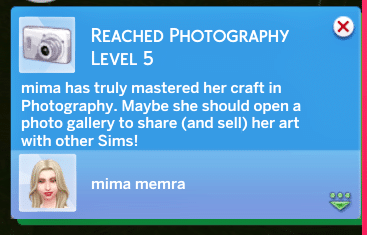
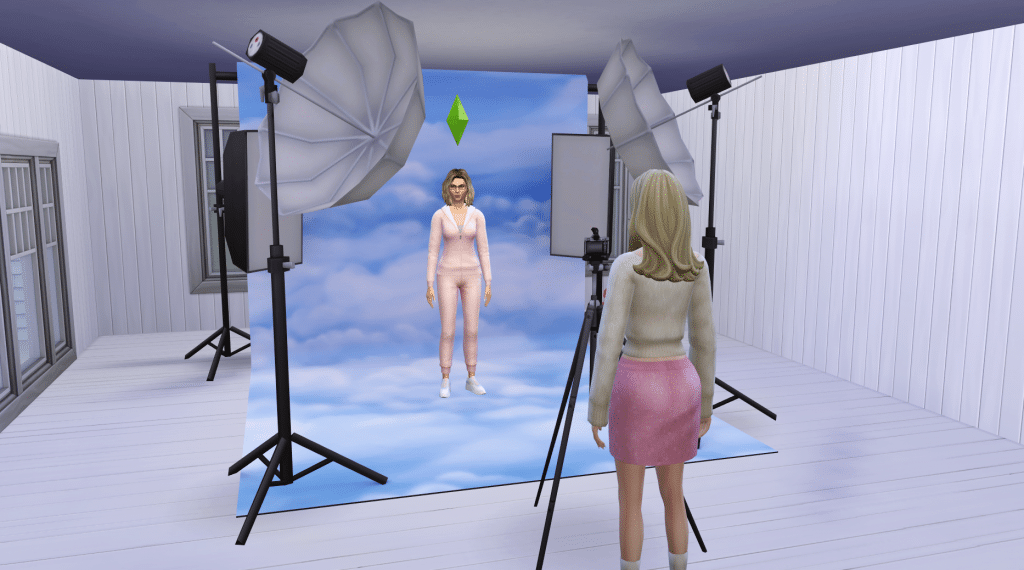
Your Sims can earn money using the In A Flash Photo Studio, after having maximized their photography skills to level 5. Here, they can take individual photos or group photos, of children and adult Sims. They can easily set up this studio in their household as long as they have an available broad space, whether indoors or outdoors. If this is too cumbersome, your Sims can stick to their ol’ regular camera and simply take photos of Sims anywhere and anytime. These photos, once in the inventory, can still be sold for some simoleons.

Conclusion

Leveling up the photography skill in The Sims 4 is quite a difficult feat. Much like in real life, simply using cameras or phones to take pictures does not necessarily equate to mastering the skill itself. Your Sims would need to accomplish a lot of other stuff such as choosing filters, naming photos, adding frames, and even selling them just to maximize the skill. But through this article, we hope that we have given you a clear idea of what your Sims should do to pursue this skill, and how they can turn it into a profession. Please leave us a comment below to let us know what you think of this article. Happy simming, Simmers!

Related Content


Follow SnootySims on Social Media:

Join us on our journey to discover the latest and finest Sims 4 custom content, as well as stay updated on news and rumors surrounding the highly anticipated Sims 5! 🌟

Our Latest Custom Content @ Patreon


Latest CC Finds @ SnootySims


FOR SIMS FANS, WITH LOVE ♥

We're on Patreon, too!

We've now shared 350+ CC packs on our Patreon. Find your next favorites — made with love for your Sims. ♥

Supporters also get a handy one-click download.

Discover our Patreon
FEATURED SIMS 4 CC · AMARA

A little Nordic warmth. 💚

Meet the NORDLYS Set: cozy furniture, soft textures and warm neutrals for your Sims’ homes.

Explore on Patreon Availability and download details on the creator’s Patreon.
SNOOTYSIMS

Privacy Policy

SNOOTYSIMS

Privacy Policy

Effective Date: October 2, 2026
Last Updated: October 14, 2026

1. Introduction

This Privacy Policy explains how SnootySims (SnootySims.com, the “Site,” “we,” “us,” or “our”) collects, uses and discloses personal information when you visit the Site, create an account, subscribe to emails or contact us. It also explains your privacy choices.

2. Information We Collect

We collect information you provide through account features, subscriptions and support requests. This may include your email address, display name, profile photo, preferences and the contents of your messages. Please do not send information that is not needed for your request.

Our Site and service providers may automatically receive your IP address, browser and device information, operating system, referring page, access times, pages viewed, searches, link or ad interactions, and cookie or device identifiers. An IP address may be used to infer approximate location. Advertising partners may derive interests or audience segments from browsing activity.

3. Account Information

We use Clerk for account creation, email/password authentication, sessions, account recovery and security. Account data may include your email address, internal account ID, display name, profile photo, account settings, authentication and password-reset information. If you choose Google sign-in, we receive the information you authorize Google to share.

We use this information to provide account features, recover access, respond to support requests and prevent fraud or abuse. If you use My collection, we store the CC items you save and your 20 most recent distinct searches with your account. You can remove favorites and clear your search history in My collection. These lists are private and are not published to other users. You can contact us to request deletion of all associated records. Account registration does not automatically enroll you in marketing emails.

4. Newsletter and EmailOctopus

If you separately subscribe, we may send newsletters, new Sims content, site updates and occasional promotional emails. Subscription is optional and is not required to create an account. Essential account, security and service emails are separate from marketing.

We use EmailOctopus to manage newsletters, with Amazon SES for delivery through EmailOctopus Connect. Subscriber information may include your email address, optional name, consent and subscription status, signup source and time, confirmation records, unsubscribe status, delivery information and technical information needed to send emails.

Where campaign tracking is enabled with any required consent, EmailOctopus may record email opens through tracking pixels and link clicks to help measure campaign performance. See the EmailOctopus Privacy Policy.

You can unsubscribe using the link in any marketing email or by contacting snooty@snootysims.com. We may keep limited suppression records to avoid sending further marketing or accidentally resubscribing you. Unsubscribing does not stop essential, non-promotional account or service messages.

5. How We Use Information

We use information to operate SnootySims, provide and secure accounts, recover access, answer requests, send subscribed communications, improve content and performance, understand site use, prevent fraud, meet legal obligations, and deliver and measure advertising, including personalized advertising where applicable.

6. Cookies and Similar Technologies

We and our providers may use cookies, local storage, pixels and similar technologies for sessions, security, preferences, analytics, advertising and ad measurement. For example, browser storage remembers site preferences and guest usage limits.

You can manage cookies through your browser and use privacy controls available on the Site. Blocking storage may affect account features or preferences. Raptive advertising controls apply to Raptive ads; they do not necessarily control every other service on the Site.

7. Analytics and Google Services

The Site uses Google Tag Manager to load configured tags. Where Google Analytics is enabled, it may process device and browser information, page views, referrals, session activity, approximate location and cookies or similar identifiers to help us understand site use and improve content. Google also processes information when you choose Google sign-in. See the Google Privacy Policy.

8. Advertising and Raptive

Advertising.

CMI Marketing, Inc., d/b/a Raptive (“Raptive”) is a service provider of this Site for the purposes of placing advertising on the Site, and Raptive will collect and use certain data for advertising purposes. To learn more about Raptive’s data usage, click here: Raptive Advertising Privacy Statement

Raptive and its partners may use cookies, device identifiers, IP addresses, browser information, browsing and ad activity, approximate location and inferred interests for personalized ads, measurement, analytics and fraud prevention. These disclosures may qualify as a “sale,” “sharing,” or “targeted advertising” under state privacy laws, even without exchanging a customer database for money.

9. Advertising Privacy Choices

For US visitors, Raptive supplies a “Do Not Sell or Share My Personal Information” control through its ad code, ordinarily at the bottom of the homepage or the first ad-supported page you visit. Use that control to manage Raptive advertising choices. If it is unavailable, contact us. Opting out does not remove all ads; contextual or non-personalized ads may still appear.

Browser-based choices may need to be repeated on other browsers or devices or after clearing cookies.

10. How We Disclose Information

Information may be disclosed to hosting, infrastructure, authentication, email, analytics and security providers to operate the Site; to Raptive and advertising partners for the purposes described above; when required by law or necessary to protect rights and security; and to parties involved in a merger, acquisition, financing or sale of business assets, subject to applicable law. Providers may process information outside your state or country, including in the United States.

11. US State Privacy Rights

Depending on your state of residence and whether the applicable law applies to SnootySims, you may have rights to confirm processing, access, correct or delete information, obtain a portable copy, and opt out of sale, sharing, targeted advertising or certain profiling. Where applicable, you may limit certain sensitive-information uses and appeal a denied request. We will not unlawfully discriminate against you for exercising these rights.

12. California Privacy Notice

This section applies to the extent SnootySims is subject to the California Consumer Privacy Act, as amended.

  • Identifiers: email addresses, IP addresses, account IDs and cookie or device identifiers.
  • Account information: profile details, preferences and authentication information, as applicable.
  • Internet activity: pages viewed, searches, clicks and Site or advertising interactions.
  • Approximate location: location inferred from an IP address.
  • Inferences: advertising interests or audience segments derived by advertising partners.

Sources include you, your browser or device, authentication services and advertising partners. We use and disclose these categories for the purposes and to the recipients described above. Advertising identifiers, online activity, approximate location and inferences may be sold or shared in connection with Raptive advertising.

Eligible California residents may request to know or access information, correct or delete it, opt out of sale or sharing, and limit certain uses of sensitive personal information where applicable. The reference to sensitive information describes a potential legal right, not a claim that we collect every sensitive category. Account authentication information is used to provide and protect accounts.

13. Exercising Your Rights and Account Deletion

Email snooty@snootysims.com to make a privacy request, request account deletion or appeal a decision. We may ask for information reasonably needed to verify your identity or an authorized agent’s authority. We respond within applicable legal time limits. Deletion may be subject to security, legal or other permitted exceptions.

Other applicable laws may also give you access, correction, deletion, portability, objection, restriction and complaint rights. You may withdraw consent for consent-based processing without affecting earlier lawful processing.

14. Global Privacy Control

Raptive states that its advertising systems recognize Global Privacy Control (GPC) as an opt-out signal. Qualifying GPC signals are treated as opt-out requests where applicable law requires. These browser-based advertising choices do not delete your account or unsubscribe you from emails. GPC is different from the older “Do Not Track” signal; we do not promise a uniform response to that older signal.

15. Retention and Security

We keep information for as long as reasonably necessary for the purposes described here, including providing services, security, legal compliance, resolving disputes, fraud prevention and respecting unsubscribe requests. After an eligible deletion request, information may be deleted or de-identified, subject to applicable exceptions.

We use reasonable administrative, technical and organizational safeguards. No storage or transmission system is completely secure.

16. Children’s Privacy

SnootySims is a general-audience site and is not directed to children under 13. Children under 13 should not create accounts or subscribe to newsletters. We do not knowingly collect children’s personal information in circumstances prohibited by COPPA. Contact us if you believe a child has provided such information.

Where applicable, sale or sharing of personal information of users known to be under 16 requires the authorization specified by law, including parental authorization for children under 13.

17. Third-Party Websites and Services

Links to downloads, creator websites, social networks and advertisements take you to services with their own privacy policies. Embedded content may also send information to its provider when loaded or used. We do not control those providers’ privacy practices.

18. Changes to This Policy

We may update this policy as our services or practices change. We will change the Last Updated date and provide additional notice or request consent where required by law.

19. Contact Us

SnootySims
Website: SnootySims.com
Email: snooty@snootysims.com

20. Premium Subscriptions and Payments

Premium-specific information updated October 14, 2026.

The service operator is identified in our Premium terms. Contact snooty@snootysims.com with account or privacy questions.

Account information

We use Clerk for registration and sign-in. Your email address and account identifier associate the subscription and access permissions with your account. See the Clerk Privacy Policy.

Payment processing

Stripe processes Premium payments and subscription billing. We send your account email and a subscription reference to Stripe to link payment to the correct account and prefill checkout. Stripe and your selected payment provider receive billing details, payment information, transaction details and technical information needed to process payments, calculate applicable taxes, authenticate payments, prevent fraud and meet legal obligations. Full card details are entered in Stripe’s payment form and are not stored by SnootySims. See the Stripe Privacy Policy. If you choose PayPal or another wallet, that provider’s privacy policy also applies.

Subscription access and support

We store customer and subscription identifiers, plan, payment and subscription status, billing-period information and account references to provide Premium access. We use support information to resolve access and billing issues and assist with cancellation or refunds. These uses support the requested subscription service, security and legal obligations. Records are kept as needed for these purposes and applicable recordkeeping requirements. Canceling renewal does not automatically delete your account or records we must retain.

Privacy requests

Email snooty@snootysims.com to request access, correction or deletion and exercise other applicable privacy rights. Requests about Stripe’s own processing can also be directed to Stripe using the contacts in its privacy policy.

Product & pricing · Premium terms · Refunds & cancellation

Open the full Privacy Policy ↗