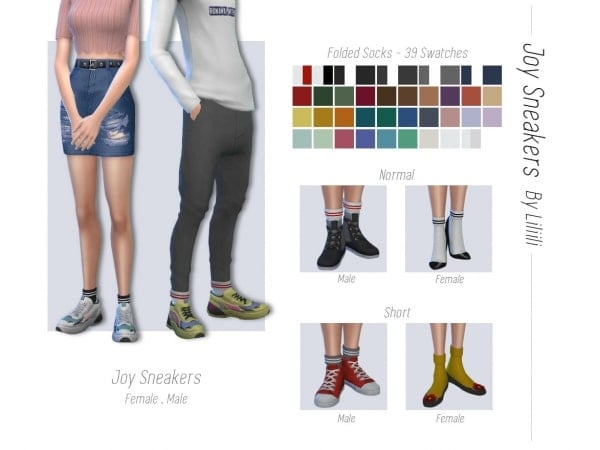
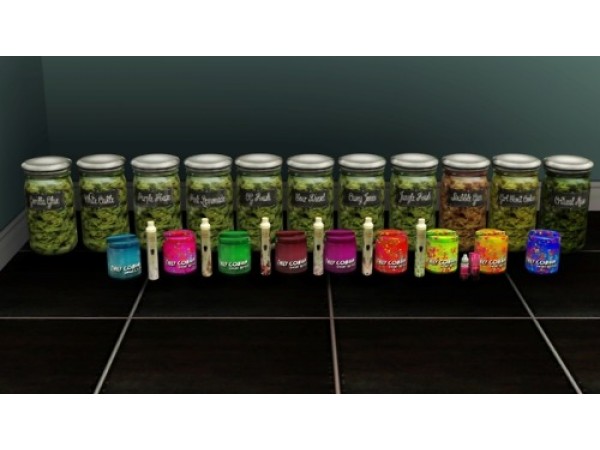
We're thrilled to share something special with our amazing supporters! 🌟 In this post, you'll find an all-in-one mega file containing every piece of custom content (CC) by SnootySims, ready for download.
February is here already! Although January seems to have gone on forever, Valentine’s Day is now quickly approaching! We have therefore chosen to create “Especially 4 U,” our first-ever Valentine’s Day-themed CC. This set comes with 8 romantic featuring pink and red tones. So why not celebrate Love Month with our CC set and spread the love to all Simmers? ♡
ERROR: OpenAI API error (code 429) – 429 You exceeded your current quota, please check your plan and billing details. For more information on this error, read the docs: https://platform.openai.com/docs/guides/error-codes/api-errors.
ERROR: OpenAI API error (code 429) – 429 You exceeded your current quota, please check your plan and billing details. For more information on this error, read the docs: https://platform.openai.com/docs/guides/error-codes/api-errors.
ERROR: OpenAI API error (code 429) – 429 You exceeded your current quota, please check your plan and billing details. For more information on this error, read the docs: https://platform.openai.com/docs/guides/error-codes/api-errors.
ERROR: OpenAI API error (code 429) – 429 You exceeded your current quota, please check your plan and billing details. For more information on this error, read the docs: https://platform.openai.com/docs/guides/error-codes/api-errors.
ERROR: OpenAI API error (code 429) – 429 You exceeded your current quota, please check your plan and billing details. For more information on this error, read the docs: https://platform.openai.com/docs/guides/error-codes/api-errors.
ERROR: OpenAI API error (code 429) – 429 You exceeded your current quota, please check your plan and billing details. For more information on this error, read the docs: https://platform.openai.com/docs/guides/error-codes/api-errors.
ERROR: OpenAI API error (code 429) – 429 You exceeded your current quota, please check your plan and billing details. For more information on this error, read the docs: https://platform.openai.com/docs/guides/error-codes/api-errors.
ERROR: OpenAI API error (code 429) – 429 You exceeded your current quota, please check your plan and billing details. For more information on this error, read the docs: https://platform.openai.com/docs/guides/error-codes/api-errors.
ERROR: OpenAI API error (code 429) – 429 You exceeded your current quota, please check your plan and billing details. For more information on this error, read the docs: https://platform.openai.com/docs/guides/error-codes/api-errors.
ERROR: OpenAI API error (code 429) – 429 You exceeded your current quota, please check your plan and billing details. For more information on this error, read the docs: https://platform.openai.com/docs/guides/error-codes/api-errors.
ERROR: OpenAI API error (code 429) – 429 You exceeded your current quota, please check your plan and billing details. For more information on this error, read the docs: https://platform.openai.com/docs/guides/error-codes/api-errors.
ERROR: OpenAI API error (code 429) – 429 You exceeded your current quota, please check your plan and billing details. For more information on this error, read the docs: https://platform.openai.com/docs/guides/error-codes/api-errors.
ERROR: OpenAI API error (code 429) – 429 You exceeded your current quota, please check your plan and billing details. For more information on this error, read the docs: https://platform.openai.com/docs/guides/error-codes/api-errors.
ERROR: OpenAI API error (code 429) – 429 You exceeded your current quota, please check your plan and billing details. For more information on this error, read the docs: https://platform.openai.com/docs/guides/error-codes/api-errors.
ERROR: OpenAI API error (code 429) – 429 You exceeded your current quota, please check your plan and billing details. For more information on this error, read the docs: https://platform.openai.com/docs/guides/error-codes/api-errors.
ERROR: OpenAI API error (code 429) – 429 You exceeded your current quota, please check your plan and billing details. For more information on this error, read the docs: https://platform.openai.com/docs/guides/error-codes/api-errors.
ERROR: OpenAI API error (code 429) – 429 You exceeded your current quota, please check your plan and billing details. For more information on this error, read the docs: https://platform.openai.com/docs/guides/error-codes/api-errors.
ERROR: OpenAI API error (code 429) – 429 You exceeded your current quota, please check your plan and billing details. For more information on this error, read the docs: https://platform.openai.com/docs/guides/error-codes/api-errors.
ERROR: OpenAI API error (code 429) – 429 You exceeded your current quota, please check your plan and billing details. For more information on this error, read the docs: https://platform.openai.com/docs/guides/error-codes/api-errors.
ERROR: OpenAI API error (code 429) – 429 You exceeded your current quota, please check your plan and billing details. For more information on this error, read the docs: https://platform.openai.com/docs/guides/error-codes/api-errors.
ERROR: OpenAI API error (code 429) – 429 You exceeded your current quota, please check your plan and billing details. For more information on this error, read the docs: https://platform.openai.com/docs/guides/error-codes/api-errors.
ERROR: OpenAI API error (code 429) – 429 You exceeded your current quota, please check your plan and billing details. For more information on this error, read the docs: https://platform.openai.com/docs/guides/error-codes/api-errors.