

Do you have Sims 4: Discover University installed? If so, you might want to have some handy university cheats up your sleeve to elevate your Sims 4 experience! Read on to learn different cheat codes and find out what they can do for your gameplay.
350 CC Items! Time to celebrate! 🎉
Before we begin: Thank you! We’re celebrating 3 years and 350+ CC items. As a gift, supporters can get all our free CC at once here: ALL IN ONE DOWNLOAD

Sims 4 Discover University EP: Higher Education, Student Organisations & More
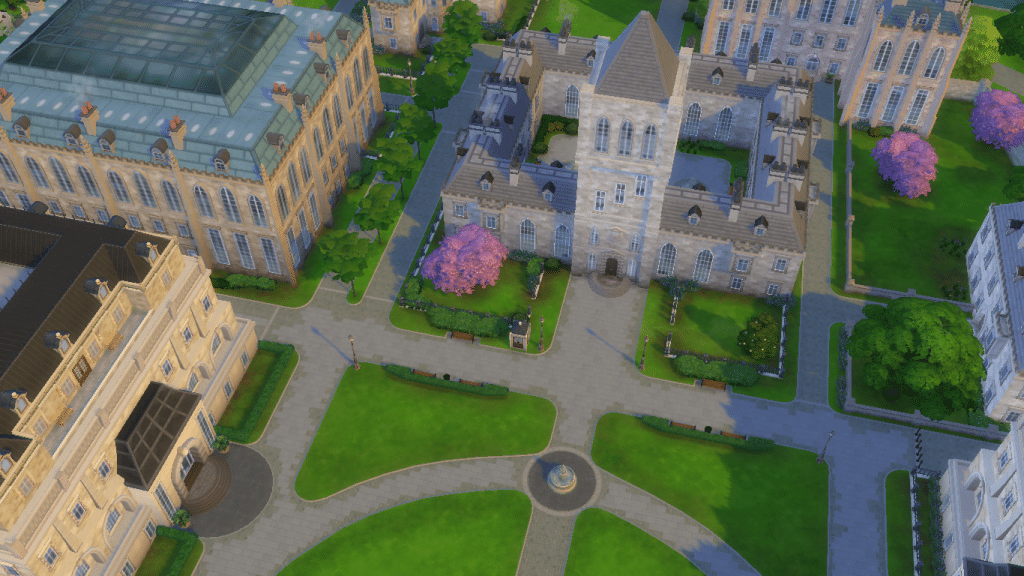
The Sims 4: Discover University was released in 2019, and introduced our Sims to campus life. The EP brings 3 full-time careers, 2 part-time jobs, and 2 new skills. Ambitious Sims who wish to enroll in University can pick 13 cool programs, and get distinguished degrees. Sims can live in University housing or study off-campus. Some, who are up for some extra engagement at university can join organizations, and even become a part of a secret society.
There is a new amazing life state, Servo, a robot that can be built and become a legit family member. And the good news? All these EP features can be unlocked with special university cheats! So, let’s get into it!
More on SNOOTYSIMS: Are you ready to level up your Sims’ education in The Sims 4? Check out our ultimate manual on Sims 4 University Degrees!
How To Enable Cheats In Sims 4?
Before we explore the world of Discover University cheats, it’s essential to enable cheats in the game first. To do that, start playing an active household. Then, open a cheat bar in the upper left corner by pressing these buttons at the same time:
- PC – Ctrl + Shift + C
- Mac – Command + Shift + C
- PlayStation – L1 + L2 + R1 + R2
- Xbox – LT + RT + LB + RB
When the cheat box appears, type testingcheats true (or testingcheats on) and hit Enter. Your cheats are now successfully enabled, and you can now start typing Dicover University cheats!
1. Career Cheats: Engineering, Law And Education
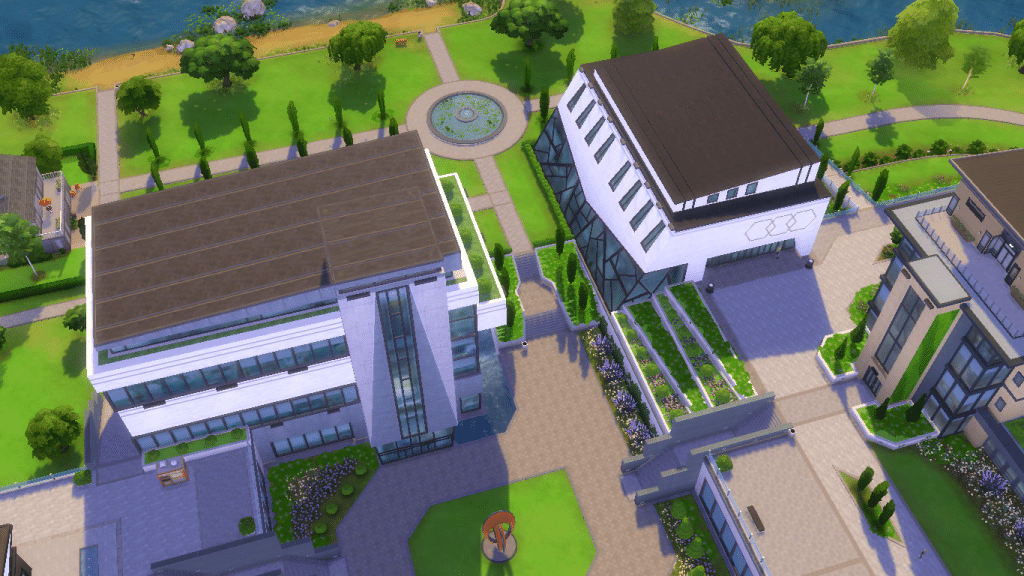
Discover University’s expansion pack features 3 new carers: Engineering, Law, and Education. Like with all other careers in Sims 4, you can totally promote your Sim with cheats. The first thing you need to do is get your Sim a job in a desired career. Then, use a cheat to help them rank up. These are the Discover University cheats for promotion:
- Education career – careers.promote Education
- Engener Career – careers.promote Engineering
- Law Career – careers.promote Law
Each of the three triggers promotion one level at a time. So, for instance, if your Sim is level 5 in the Education field, and you want to help them reach level 10 in either branch, you’ll need to type the cheat 5 times to get to the final rank. Or you can sabotage them and demote them using a similar cheat. To demote Sims, just replace the word promote with demote in the cheat, and they will regress to the previous career level. For instance, to demote a Sim in the Engineer career, just type careers.demote Engineering.
2. After-school Activities: E-sports And Soccer
Students at university can also join two after-school activities (part-time careers): e-sports competitor and soccer player. Although unpaid, both can boost career success later. Both have 4 levels, and can be promoted and demoted with cheats. Here are the promotions cheats (to demote, just replace the word ”promote” with ”demote”):
- Soccer Team – careers.promote soccer
- E-sports – careers.promote e-sports
If your Sim is diligent enough to reach level 4 in the e-sports competitor career, they will get a seasoned gamer reward trait. Or, you can just give them this trait with one Discover University cheat:
- Seasoned Gamer reward traits – traits.equip_trait trait_SeasonedGamer
3. Discover University Cheats For Skills: Robotics Skill And Debate Skill
There are two skills that come with the Discover University EP, and these are the Robotics skill and the Research and Debate skill. Both are major skills and have 10 levels for Sims to conquer. The first one is a key skill for an Engineering career, and mastering the second one is essential for advancing in a Law or Education career. Luckily, there are also Discover University cheats that can help Sims nail these in no time:
- Robotics skill cheat – Stats.Set_Skill_Level Major_Robotics #
- Research and Debate skill – Stats.set_Skill_level Major_ResearchDebate #
For these cheats to work, simply replace the # symbol at the end of the cheat with any number from 1-10, depending on what skill level you want your Sim to reach. So, if you want to max out the robotics skill, just type Stats.Set_Skill_Level Major_Robotics 10, and your Sim will master this skill!
4. Servo Cheats: Buy A Servo Or Turn Your Sim Into A Robot
Servo is a new life state that comes with the Discover University EP. Thanks to some handy Discover University cheats, we can easily turn our Sims into a Servo, or revert them back to normal. You can craft a servo using a Robotics Workstation. You will need crafting supplies to do so, which can also be generated with cheats. These are the cheats:
- To turn a Sim into a Servo: traits.equip_trait trait_Humanoid_Robots_MainTrait
- To revert them to normal: traits.remove_trait trait_Humanoid_Robots_MainTrait
- To spawn crafting supplies – Have testingcheats true activated, and Shift+click on the Robotics Workstation to spawn supplies.
Alternatively, if you’d like to purchase a crafted Servo from the Build/Buy debug you can do so with bb.showhiddenobjects cheat.
5. Enroll In University With Cheats
There are two campuses in the world of Britechester: the University of Britechester and the Foxbury Insitute, and each has a specific set of programs. Sims who want to enroll in University can do so with university cheats. To enroll your Sim, all you need is testingcheats true cheat enabled. Shift+click on your Sim, and choose Pack Cheats > Expansion Packs > EPO8 University > University Debug Menu > Enroll to University.
This will take you directly to the enroll menu, where you can select the best enrollment option for your Sim. If you need money for enrollment just use money cheats before you enroll them.
To elevate your experience with schools in Sims 4, check out the Education Overhaul mod here!
6. Getting University Degrees With Cheats
There are 13 unique university programs Sims can opt for, and university cheats can help them get any degree and graduate in just a few minutes! There are four types of degrees for each program: standard, standard with honors, distinguished, and distinguished with honors. You can choose whichever you like for your Sim, and they don’t even have to be enrolled. The best option is to get distinguished degrees, which are underlined in the table below. Some distinguished degrees are from Britechester (BA), and some from Foxbury (BS).
If you wanted to, you could totally stack and give your Sim as many degrees as you like. However, you just need to use one cheat per program, depending on what degree you are aiming for. To check their list of degrees and see if the cheat worked, just go to the Simology panel and scroll to find degrees. So, these are the Discover University cheats for degrees, and a cheat for Sims who want to complete a mixology course:
| DEGREE | CHEATS |
| Art History | traits.equip_trait trait_University_ArtHistoryDegreeBA traits.equip_trait trait_University_ArtHistoryDegreeBAHonors traits.equip_trait trait_University_ArtHistoryDegreeBS traits.equip_trait trait_University_ArtHistoryDegreeBSHonors |
| Biology | traits.equip_trait trait_University_BiologyDegreeBA traits.equip_trait trait_University_BiologyDegreeBAHonors traits.equip_trait trait_University_BiologyDegreeBS traits.equip_trait trait_University_BiologyDegreeBSHonors |
| Communications | traits.equip_trait trait_University_CommunicationsDegreeBA traits.equip_trait trait_University_CommunicationsDegreeBAHonors traits.equip_trait trait_University_CommunicationsDegreeBS traits.equip_trait trait_University_CommunicationsDegreeBSHonors |
| Computer Science | traits.equip_trait trait_University_ComputerScienceDegreeBA traits.equip_trait trait_University_ComputerScienceDegreeBAHonors traits.equip_trait trait_University_ComputerScienceDegreeBS traits.equip_trait trait_University_ComputerScienceDegreeBSHonors |
| Culinary Arts | traits.equip_trait trait_University_CulinaryArtsDegreeBA traits.equip_trait trait_University_CulinaryArtsDegreeBAHonors traits.equip_trait trait_University_CulinaryArtsDegreeBS traits.equip_trait trait_University_CulinaryArtsDegreeBSHonors |
| Drama | traits.equip_trait trait_University_DramaDegreeBA traits.equip_trait trait_University_DramaDegreeBAHonors traits.equip_trait trait_University_DramaDegreeBS traits.equip_trait trait_University_DramaDegreeBSHonors |
| Economics | traits.equip_trait trait_University_EconomicsDegreeBA traits.equip_trait trait_University_EconomicsDegreeBAHonors traits.equip_trait trait_University_EconomicsDegreeBS traits.equip_trait trait_University_EconomicsDegreeBSHonors |
| Fine Art | traits.equip_trait trait_University_FineArtDegreeBA traits.equip_trait trait_University_FineArtDegreeBAHonors traits.equip_trait trait_University_FineArtDegreeBS traits.equip_trait trait_University_FineArtDegreeBSHonors |
| History | traits.equip_trait trait_University_HistoryDegreeBA traits.equip_trait trait_University_HistoryDegreeBAHonors traits.equip_trait trait_University_HistoryDegreeBS traits.equip_trait trait_University_HistoryDegreeBSHonors |
| Language & Literature | traits.equip_trait trait_University_LanguageAndLiteratureDegreeBA traits.equip_trait trait_University_LanguageAndLiteratureDegreeBAHonors traits.equip_trait trait_University_LanguageAndLiteratureDegreeBS traits.equip_trait trait_University_LanguageAndLiteratureDegreeBSHonors |
| Physics | traits.equip_trait trait_University_PhysicsDegreeBA traits.equip_trait trait_University_PhysicsDegreeBAHonors traits.equip_trait trait_University_PhysicsDegreeBS traits.equip_trait trait_University_PhysicsDegreeBSHonors |
| Psychology | traits.equip_trait trait_University_PsychologyDegreeBA traits.equip_trait trait_University_PsychologyDegreeBAHonors traits.equip_trait trait_University_PsychologyDegreeBS traits.equip_trait trait_University_PsychologyDegreeBSHonors |
| Villainy | traits.equip_trait trait_University_VillainyDegreeBA traits.equip_trait trait_University_VillainyDegreeBAHonors traits.equip_trait trait_University_VillainyDegreeBS traits.equip_trait trait_University_VillainyDegreeBSHonors |
| * Mixology Certificate (not a degree) | traits.equip_trait trait_University_BartenderDegree |
7. University Organisation Cheats
If your Sim is already in an organization, there are some Discover University cheats that can help them rank up right away. Be mindful and use cheats for the organizations from your Sim’s school (Britechester or Foxbury). Here is a full list of cheats:
| ORGANISATION | CHEAT |
| Britechester Art Society | Stats.Set_Stat RankedStatistic_CollegeOrganization_Progress_ArtSociety # |
| Britechester Debate Guild | Stats.Set_Stat RankedStatistic_CollegeOrganization_Progress_Debate # |
| Britechester Spirit Corps | Stats.Set_Stat RankedStatistic_CollegeOrganization_Progress_SchoolSpirit_Prank # |
| Foxbury Honor Society/The Brainiacs | Stats.Set_Stat RankedStatistic_CollegeOrganization_Progress_HonorSociety # |
| Foxbury Robotics Club/Bot Savants | Stats.Set_Stat RankedStatistic_CollegeOrganization_Progress_Robotics # |
| Foxbury Spirit Squad Society | Stats.Set_Stat RankedStatistic_CollegeOrganization_Progress_SchoolSpirit_Party # |
| Secret Society | Stats.Set_Stat RankedStatistic_CollegeOrganization_Progress_SecretSociety # |
To rank up to level 2, just replace # at the end of the cheat with 166. To rank up to level 3, replace # at the end of the cheat with 333. For these university cheats to work, your Sim needs to be a member of an organization first to rank up. For instance, if they have joined the Britechester Art Society, and you want them to reach level 2, just type Stats.Set_Stat RankedStatistic_CollegeOrganization_Progress_ArtSociety 166. It works for every student.
Unlock University Cheats With All Cheats Mod!
If you have the All Cheats Mod by TwistedMexi installed, you can access some additional university cheats. These can help Sims graduate, give them degrees, or instantly join organizations.
University cheats for getting degrees and finishing terms:
- University.Finish_Term – Instantly makes Sim finish the term.
- University.Graduate – Instantly makes Sim graduate with a perfect GPA.
- University.Accept_all_Degrees – Allows Sims to join distinguished programs you aren’t qualified for.
- University.Award_all_Degrees – Instantly gives your Sim every degree.
Cheats for joining organisations:
| ORGANIZATION | CHEAT |
| Join the Secret Society/Order of Enchantment | Loot.Apply_To_Sim Loot_Organization_JoinOrQuit_Secret SimID |
| Join Foxbury’s Robotics Society/Bot Sevants | Loot.Apply_To_Sim Loot_Organization_JoinOrQuit_Robotics SimID |
| Join Foxbury’s Study Group | Loot.Apply_To_Sim Loot_Organization_JoinOrQuit_Honor SimID |
| Join Foxbury’s Spirit Squad | Loot.Apply_To_Sim Loot_Organization_JoinOrQuit_Party SimID |
| Join Britechester’s Spirit Corps | – Loot.Apply_To_Sim Loot_Organization_JoinOrQuit_Prank SimID |
| Join Britechester’s Debate Guild | Loot.Apply_To_Sim Loot_Organization_JoinOrQuit_Debate SimID |
| Join Britechester’s Art Society | Loot.Apply_To_Sim Loot_Organization_JoinOrQuit_Art SimID |
Conclusion
So, these were all Discover University cheats compiled in one place. They are real time-savers and will help you get the most out of life at University or features that come with the EP. Try them out yourself, and happy simming!
Let us know if you ever encounter any issues while using these cheats, because we want to make sure that cheats in The Sims 4 work seamlessly for our Simmers. If you find any issues, like cheats not working, you can check out this article about cheats (which includes a fix) to help you. If everything is still the same, please let us know in the comments below, because your feedback can help us fix problems and improve your gaming experience in The Sims 4. Thank you! 😉