

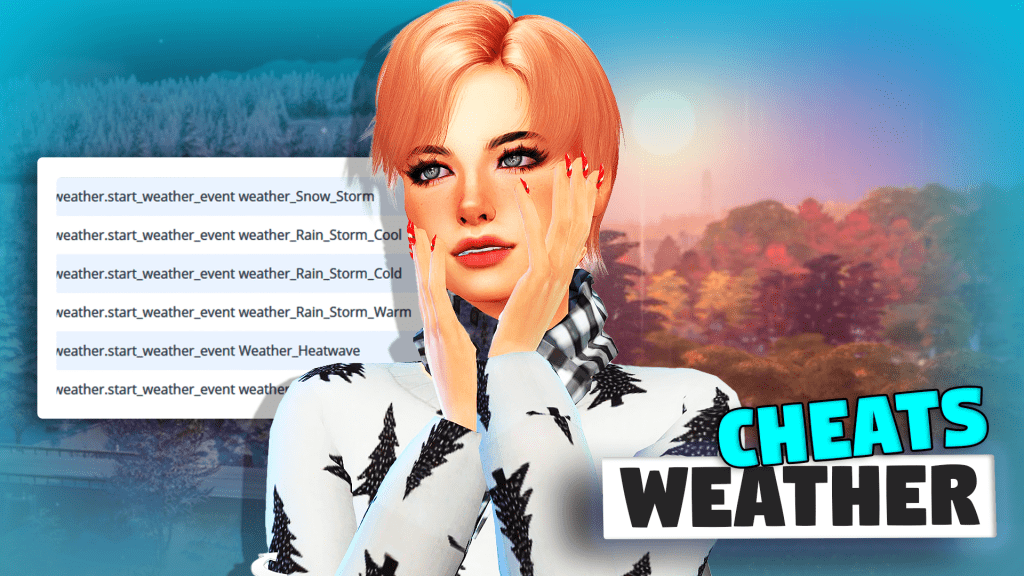
Whether you want it hot, cloudy, windy, freezing, or raining, gain complete control of the weather and master all the seasons in The Sims 4 with this ultimate weather cheat sheet that we prepared for you! Check out all the weather cheats we gathered for you below!
350 CC Items! Time to celebrate! 🎉
Before we begin: Thank you! We’re celebrating 3 years and 350+ CC items. As a gift, supporters can get all our free CC at once here: ALL IN ONE DOWNLOAD

Controlling the Weather In The Sims 4
The Sims 4: Seasons was the successor to the highly-celebrated expansion packs, The Sims 3: Seasons and The Sims 2: Seasons. Through the launch of the said expansion pack in June 2018, we simmers have had the privilege to experience the wonderful weather system in The Sims 4—allowing our sims to delight themselves in all four seasons of winter, spring, summer, and fall. Of course, since the expansion pack has filled the game with all new climate conditions and atmospheric changes, we want you to have full power and control! Thus, we have prepared the ultimate weather cheat sheet for you.

How to Use Cheats to Control the Weather
First off, you have to open your cheat console. To do this, simply type CTRL + SHIFT + C. Then, on the cheat console that will appear on the upper left of your screen, type in “Testingcheats true”. This will enable you to use the following weather cheats in the game.
Weather Cheat: Summon Those Raindrops

Okay first off, let’s focus on rain cheats. Summoning those raindrops are especially helpful if you want to keep your sims cozy and dry inside the house, as sims rarely want to leave their homes when water is pouring from the sky. However, these cheats are also essential if you want to summon your sims outside and make them dance in the rain! Input the following rain cheats on your cheat console:
- weather.start_weather_event weather_Rain_Heavy_Cold – This will let you set the weather to Heavy Rain and Cold.
- weather.start_weather_event weather_Rain_Heavy_Cool – This will let you set the weather to Heavy Rain and Cool.
- weather.start_weather_event weather_Rain_Heavy_Warm – This will let you set the weather to Heavy Rain and Warm.
- weather.start_weather_event weather_debug_fastrain – This will let you set the weather to Heavy Rain and Hot.
Weather Cheat: Make it Snow

Is it already the Holiday season in the calendar of your sims but the weather outside the window is not cooperating? Or does your sim simply miss their lawn being blanketed in white because they want to create some snow angels on the ground? Then make it snow right away with these cheats we have for you! Type the following snow cheats on your cheat console:
- weather.start_weather_event weather_Snow_Heavy_Freezing – This will let you set the weather to Heavy Snow and Freezing.
- weather.start_weather_event weather_Snow_Light_Freezing – This will let you set the weather to Light Snow and Freezing.
Weather Cheat: Let The Sun Shine

Have you ever noticed that so many songs have been written about the sun? Perhaps it’s because the dazzling glory of Mr. Bright Sun indeed provides a boost of energy and enthusiasm to us in doing day-to-day activities. The same could be said for our sims, who seem to be in high spirits when the sun shines outside! Welcome those bright rays of the sun by inputting the following weather cheats on your cheat console:
- weather.start_weather_event weather_SunShower_Cool – This will let you set the weather to Sun Shower and Cool.
- weather.start_weather_event weather_SunShower_Warm – This will let you set the weather to Sun Shower and Warm.
- weather.start_weather_event weather_SunShower_Hot – This will let you set the weather to Sun Shower and Hot.
- weather.start_weather_event weather_Sunny_Freezing – This will let you set the weather to Sunny and Freezing.
- weather.start_weather_event weather_Sunny_Cold – This will let you set the weather to Sunny and Cold.
- weather.start_weather_event weather_Sunny_Cool – This will let you set the weather to Sunny and Cool.
- weather.start_weather_event weather_Sunny_Warm – This will let you set the weather to Sunny and Warm.
- weather.start_weather_event weather_Sunny_Hot – This will let you set the weather to Sunny and Hot.
Weather Cheat: Watch the Winds Blow

If you have ever been a fan of Studio Ghibli films, you have probably noticed that whenever the winds blow softly through trees and grasses in the fields, the whole scene looks aesthetically pleasing and refreshing. Bring the same feeling to the game by using these wind cheats, and let sims delight in the cool breeze. Enter the following cheats on your cheat console:
- weather.start_weather_event weather_Windy_Hot -This will let you set the weather to Windy and Hot.
- weather.start_weather_event weather_Windy_Warm – This will let you set the weather to Windy and Warm.
- weather.start_weather_event weather_Windy_Cold – This will let you set the weather to Windy and Cold.
- weather.start_weather_event weather_Windy_Freezing -This will let you set the weather to Windy and Freezing.
Weather Cheat: Invite Fluffy Clouds

Don’t you just love it when the weather seems just right? Not too bright and dark, not too hot, or cold—just the perfect amount of sun with soft fluffy clouds in the sky. If your sim is throwing a party near the beach, the cloudy weather is what you exactly need! Have fluffy pieces of cotton in the sky by entering the following cloud cheats on your cheat console:
- weather.start_weather_event weather_PartlyCloudy_Freezing – This will let you set the weather to Partly Cloudy and Freezing.
- weather.start_weather_event weather_PartlyCloudy_Cold – This will let you set the weather to Partly Cloudy and Cold.
- weather.start_weather_event weather_PartlyCloudy_Cool – This will let you set the weather to Partly Cloudy and Cool.
- weather.start_weather_event weather_PartlyCloudy_Warm – This will let you set the weather to Partly Cloudy and Warm.
- weather.start_weather_event weather_PartlyCloudy_Hot – This will let you set the weather to Partly Cloudy and Warm.
- weather.start_weather_event weather_Cloudy_Freezing – This will let you set the weather to Cloudy and Freezing.
- weather.start_weather_event weather_Cloudy_Cold – This will let you set the weather to Cloudy and Cold.
- weather.start_weather_event Weather_Cloudy_Cool – This will let you set the weather to Cloudy and Cool.
- weather.start_weather_event weather_Cloudy_Warm – This will let you set the weather to Cloudy and Warm.
- weather.start_weather_event weather_Cloudy_Hot – This will let you set the weather to Cloudy and Hot.
Weather Cheat: Witness Bizarre Atmospheric Changes

We would never want to experience bizarre atmospheric changes in our real lives, because that would mean terrible consequences to our properties and safety! But of course, since everything is possible in The Sims 4, this might probably be the platform to experience those strange weather disturbances. If your sims are ready to brave weird weather events, try these cheats by typing the following on your cheat console:
- weather.start_weather_event weather_Snow_Thundersnow – This will let you set the weather to Thundersnow and Freezing.
- weather.start_weather_event weather_Cloudy_DryLightning – This will let you set the weather to Cloudy and Warm.
- weather.start_weather_event weather_Sunsnow – This will let you set the weather to Sun Snow and Cool.
- weather.start_weather_event weather_Snow_Test – This will let you set the weather to Sun Snow and Cold.
Weather Cheat: Conjure Up Extreme Conditions
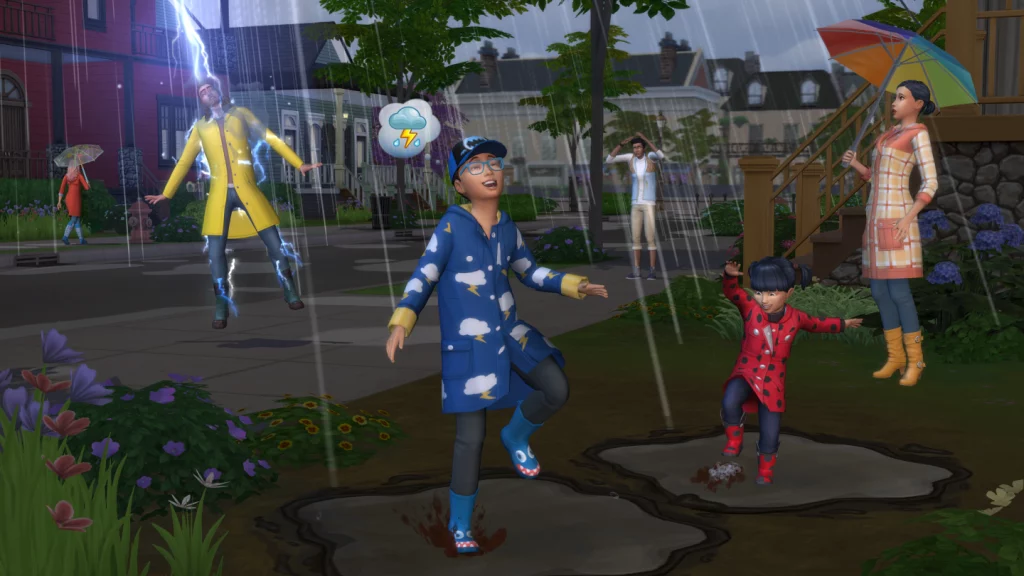
Nope, the craziness of the weather in The Sims 4 does not stop in the earlier section. We have more weather cheats which will definitely rattle your sims to the core. If you have never experienced really severe weather conditions in real life, then you can see how it goes in The Sims 4. Let the sky go mad by putting the following extreme weather cheats on your cheat console:
- weather.start_weather_event weather_Windy_Burning – This will let you set the weather to Windy and Burning.
- weather.start_weather_event Weather_Heatwave – This will let you set the weather to Sunny and Heatwave.
- weather.start_weather_event weather_Rain_Storm_Warm – This will let you set the weather to Rain Storm and Warm.
- weather.start_weather_event weather_Rain_Storm_Cold – This will let you set the weather to Rain Storm and Cold.
- weather.start_weather_event weather_Rain_Storm_Cool – This will let you set the weather to Rain Storm and Cool.
- weather.start_weather_event weather_Snow_Storm – This will let you set the weather to Snow Storm and Freezing.
Weather Cheat: Charge Up The Sky with Lightning

We know how terrifying it is to have sims staying outside the house whenever there is lightning, as there will be a high chance they will be zapped—which in turn, will give them a negative moodlet for a few hours. But if you want to play God in the Sims 4, then we won’t stop you in case you want to charge up the sky with more lightning! Input the following lightning cheats on your cheat console:
- weather.lightning_strike_object {simID} – This will allow you to call a lightning strike on a targeted Sim.
- weather.summon_lightning_strike – This will allow you to call a lightning strike in your neighborhood.
Seasons Cheat: Control Winter, Spring, Summer, and Fall

Aside from sharing with you the ultimate cheat sheet for controlling the weather, we also have a list of cheats to give you power over the seasons in the game! Yep. You can transform the seasons in The Sims in a flash. These are the cheats for summer, fall, winter, and spring:
- seasons.set_season <0> – This will let you change the season to Summer.
- seasons.set_season <1> – This will let you change the season to Fall.
- seasons.set_season <2> – This will let you change the season to Winter.
- seasons.set_season <3> – This will let you change the season to Spring.
- Seasons.advance_season – The game changes to the next season on the list (depending on every player).
Seasons Cheat: Set the Length of The Seasons

Not only can you change the seasons, but you can also modify the exact length of the seasons. This is especially helpful if you want to lengthen one particular season to your liking. Type the following cheats to change the duration of the seasons:
- seasons.set_season_length <0> – This will let you set the season duration to 7 days.
- seasons.set_season_length <1> – This will let you set the season duration to 14 days.
- seasons.set_season_length <3> – This will let you set the season duration to 28 days.
Changing the Weather Without Cheats
It is also possible to change the weather and control the seasons in the game without using cheats. Check out the instructions below:
1. In-Game Settings
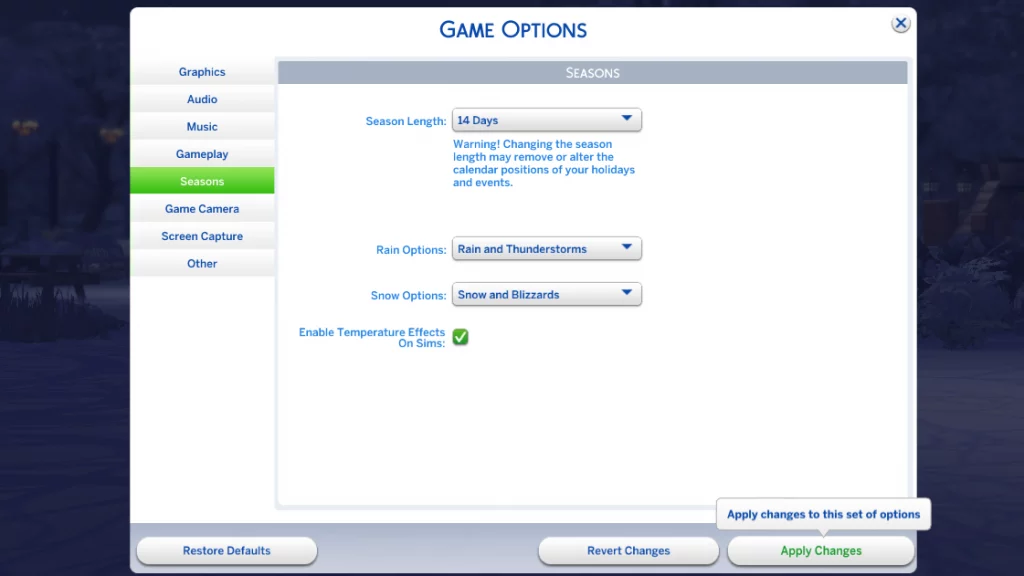
Control the weather and season settings through the game itself. Access the game menu and click Game Options. Then select the Seasons tab. In the first section, you can freely decide the length of the seasons in the game. Take note that changing the length will affect the position of existing holidays and events on your sim’s calendar.
In the second and third sections, you can enable some options for rain and snow, giving you the choice to toggle extreme weather conditions. The last section then asks you whether you want to enable temperature effects on sims. Checking this means that your sims could die from severe weather effects if you’re not careful.
2. Purchasing a Weather-Changing Device
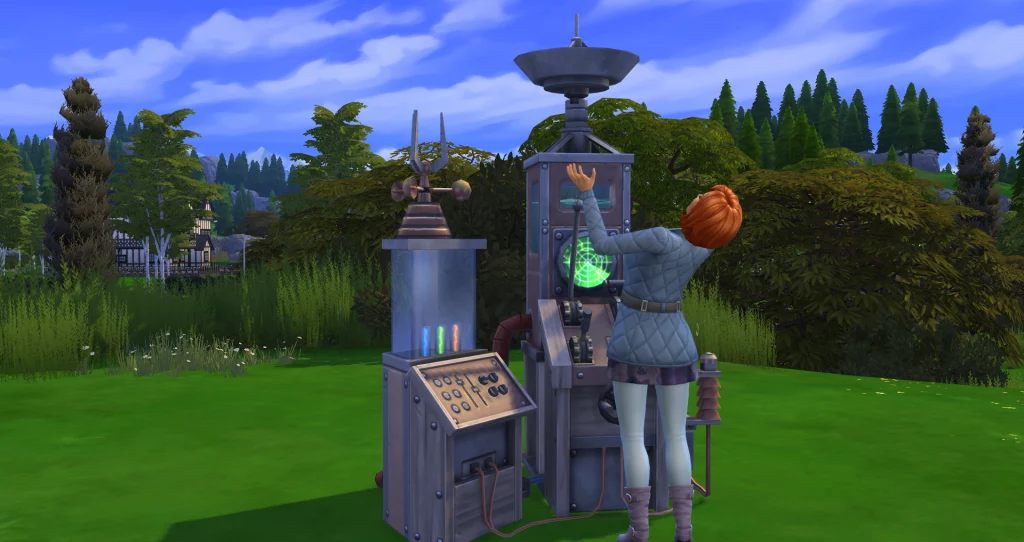
Next, we have Dr. June’s Weather-Changing Device. This weather-changing machine, which appears as a clunky and rusty gizmo filled with knobs, controls, and an antenna, is available in Build Mode for 1,500 simoleons. Purchasing this nifty tool will allow your sim to change the weather whenever they like. But if you also want them to have control of the seasons through this device, then they would have to raise their Handiness skill and upgrade it.
There are eight levels of upgrade for Dr. June’s Weather-Changing Device. Make sure your sims reach the level 8 Handiness skill so they can have the ability to upgrade the Temporal Modifier Unit of the device—allowing them then, to have complete control of winter, spring, summer, and fall in the game.
In Conclusion
Make sims dance in the rain, allow them to play in the snow, let the sun kiss their skin, or conjure a great thunderstorm in their neighborhood for a change. Whatever you want the weather to be, you have full control, as long as you have this ultimate weather cheat sheet. Happy playing simmers!