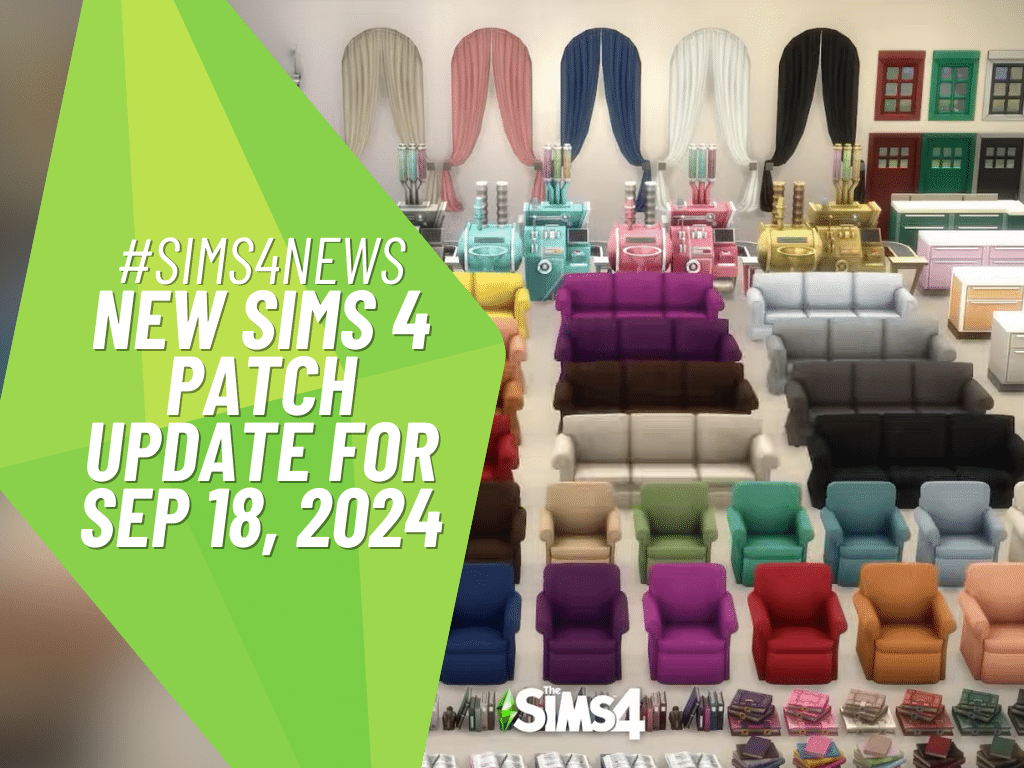
A game-changing colorful patch update is rolling through the vibrant world of The Sims 4, and it’s shaking things up in a big way!
350 CC Items! Time to celebrate! 🎉
Before we begin: Thank you! We’re celebrating 3 years and 350+ CC items. As a gift, supporters can get all our free CC at once here: ALL IN ONE DOWNLOAD
A Friendly Reminder for the new Patch update
Don’t panic if you have any Mods or CC because the game will be super helpful, and it disable them automatically for you when you first launch The Sims 4 after the update. You can easily bring all the fun stuff that you have! Just go to Menu > Settings > Enable Custom Content and Mods and simply check it and restart your game to make the magic happen!
Sims 4 New Patch Update Notes— September 18, 2024
Swiping Right to a colorful season and Swiping Left on bugs.
Update 09/18/2024
PC: 1.109.185.1030 / Mac: 1.109.185.1230
Console: 1.99
Sul Sul, Simmers!
This patch is a big one and brings many new updates and fixes into the game that span across different packs, including improvements to apartment walls, ceiling lighting, and a whole host of fixes for our recently released expansion pack, Lovestruck. These, along with so many more across both Base Game and Packs, can be found below.
Thank you for your continued reporting efforts at AnswersHQ. It really helps to let us know the issues you care most about. We hope these fixes keep improving your game and allow you to keep having more fun! More to come.
The Sims 4 team
What’s New in The Sims 4
There’s a colorful update to Build/Buy items! 650 color variants have been added and there are new items such as archways, doors, and even ground covers to spruce up your terrain. Check out the vibrant colors and new items in the video. For more details, scroll to the end of the patch notes to see a list of all the Build/Buy items. We can’t wait to see how you mix and match!
Performance
Reducing Memory Usage:
Frequent Memory Updates – Increased the frequency of memory usage data updates to prevent out-of-memory crashes.
Improving Simulation Performance:
Streamlining Data Storage – We restructured how we store game data to reduce the overhead of using Python objects, making the game run faster and use less memory.
Efficient Buff Generation – Reworked how temporary data is generated and stored to fix previous issues and optimize memory usage.
Reducing Load Times:
Optimizing Render Target Allocation – Stopped unnecessary allocation of large color targets during certain rendering processes, now saving valuable memory especially in high-resolution settings.
DirectX 11 (DX11) Updates
We’re pleased to announce improvements to the DirectX 11 executable for PC users. While these updates are focused on Windows PC’s, Xbox Simmers will also see benefits from these changes as the Xbox runs a console-based variant of DirectX 11. Here’s what to expect:
NVIDIA and AMD
NVIDIA and AMD Graphics Cards
Players using NVIDIA and AMD GPUs will now automatically default to the DX11 executable. Players on other GPUs like Intel, will continue to enjoy The Sims 4 on DX9 until a later update.
DirectX 11 Enhancements
Faster Graphics Processing – Implemented changes to how graphics data is updated, reducing delays between the CPU and GPU for smoother gameplay.
Performance Boost with Constant Buffers (cbuffers)
This enhances performance by reducing overhead and managing memory more efficiently. Users with mid to high-end GPUs should notice improved performance!
New DirectX 9 Option in Graphics Setting
By default, Simmers on NVIDIA and AMD GPUs will launch The Sims 4 using DX11. If you prefer, you can switch to DX9 via Game Options > Graphics and enable the DirectX 9 toggle before re-launching The Sims 4 to play using DirectX 9.
Intel
Ongoing Intel Development
We are continuing development on bringing DirectX 11 to Intel GPU based PC’s but it needs a little longer before we can bring it to Simmers as the default option. For now Intel based Simmers will continue to use DirectX 9 when running The Sims 4.
DirectX 11 Opt-In
DirectX 11 is available for those Simmers who want to try it, including those using an Intel GPU, you may experience visual issues with mods. We recommend disabling all mods while using the -dx11 command line argument.
For detailed information about DirectX 11 and instructions on how to enter launch arguments for both the EA App and Steam, please visit here. If you encounter any issues with DirectX, you can find assistance here.
The Gallery
Pack filters now properly work for Home Chef Hustle in The Gallery and library. No more hiding.
Base Game
[AHQ] Outdoor lighting will no longer affect inside the room through ceilings. Let there be (proper) light.
[AHQ and AHQ] When attempting to save, “Error Code: 0“ no longer occurs related to Gigs or Neighborhood Stories.
[AHQ] Addressed an additional issue where the game would fail to load and display Error Code 123 when traveling between lots.
[AHQ] Clay and Future Cubes will no longer get left on lots during events. Pick up your trash and leave nothing behind.
[AHQ] Frogs, mice and fishes in tanks are now visible when placed in laptop mode. Welcome back, friends!
[AHQ] Sims will put their tablets and homework back into their inventory instead of placing them in the world as long as they are standing or sitting. Again, stop littering, Sims!
[AHQ] The call is not coming from inside the house–you’ll stop getting invitational phone calls from your own Household Members.
[AHQ]“Complete a Daily Work Task” Want now completes properly after finishing a daily work task. Work work work.
[AHQ] Children now have the option to quit their “After School Activity“. Although quitters never prosper.
[AHQ] Thought bubbles of Sims will no longer appear through walls and floors. Keep your thoughts to yourself.
[AHQ] Family fortune – “Heal Negative Sentiments” task will now properly complete.
[AHQ] Sims will return from work or school and switch into the same Everyday Outfit they had on instead of defaulting to the first Everyday Outfit in the Create a Sim list. You will wear what I tell you to wear, Sim!
[AHQ] Certain cabinet/shelf combinations over kitchen sinks will no longer prevent Sim from washing in the sink. No excuses for not cleaning up after yourself.
[AHQ] Outdoor shadows now move smoothly without jumping on the screen on ultra graphics settings and at different Live Mode speeds.
[AHQ] Camera jittering is no longer observed in Build Buy mode after using Terrain Tools.
[AHQ] When recent neighborhood stories mention a Sim that died in another neighborhood, switching to the respective Sim household will now have an urn present. RIP.
[AHQ] Upgrading washer/dryer now completes Nerd Brain Aspiration.
[AHQ] Sims will now hold the acarajé dish the right way while eating. It’s delicious however you eat it, though.
[AHQ] Autonomous check infant no longer causes new random cold weather outfit to be generated for infant. They’re not cold.
Infant no longer stretches when crawling in deep snow. Although we question why you’re letting your infant crawl in the snow.
[AHQ] Teen Sim is able to take vacation days while working in the lifeguard career. It’s only fair.
[AHQ] Event goals remain visible even after editing from the Calendar.
Siblings can no longer be set as engaged in Create a Sim.
[AHQ] The Teen Goal Oriented Aspiration now gets completed properly after getting promoted at work.
[AHQ]“Become friends with“ Want no longer appears for Sims with relationship equal or above friends. We’re already friends.
[AHQ] World icons on the world selection screen no longer move when middle-clicked.
[AHQ] Locked seed packets are unlocked in BB when using the gardening skill cheat “stats.set_skill_level Major_Gardening 10”. Gimme my seeds!
[AHQ] Female Sims’ stomachs will no longer become invisible when paired with Masculine cargo pants in certain color swatches.
“Likes/Dislikes“ Sim preferences are now available for Sims created via Create a Sim Stories.
Sim animation will no longer pop when sitting on a stool and asking another Sim an inappropriate question.
[AHQ] Sim thumbnails are no longer low resolution on the Resume button.
[AHQ] Re-fixed issue where Skill List gets out of order, specifically when switching between Sims.
[AHQ] ‘ymTop_TshirtRolled_Yellow’ top no longer clips with bottoms in Create a Sim.
[AHQ] Event Goals created through the Calendar properly show up during the Event, even if you edit the Event.
Affecting Multiple Packs
[AHQ] In apartments, University dorms, and penthouses: Walls and doors will now cut away properly in wall down/cutaway viewing mode. Adjusted checks for exterior walls and inactive units.
[AHQ] Vampire scars are no longer observed while creating a genetics-based Spell Caster Sim, and any scars generated can now be removed (mouth, eye, cheeks and brow details).
[AHQ] Werewolf/Vampire Sims will swap to occult form and vice-versa after the animation instead of before or during.
[AHQ] Nails no longer cause shoulder tears on ‘yfTop_EP08SweaterScarf_Solid’ and ‘ymBody_EF90Djellaba_Solid’ outfits.
[AHQ] Leather Pants no longer overlap with low boots.
Get to Work
[AHQ] Sim targeted by the Simray now change to the proper blue skin tone.
[AHQ] Child eyebrows now update to match their hair color in Create a Sim.
City Living
[AHQ] Strange wall patches and gaps are no longer visible in Wall Down View in San Myshuno Apartments.
[AHQ] Food stalls in San Myshuno no longer disappear after coming out of Create a Sim and Manage Worlds.
[AHQ] Snow no longer appears inside the Planet Honey Pop building.
Cats & Dogs
[AHQ] Feline friends rejoice! “Give Catnip Treat” action to cats will no longer cancel. The cat deserves a treat!
Seasons
[AHQ] Sim will now receive a vacuum along with the vacuum dock as a Holiday gift. Wow…a vacuum. That’s just exactly what I wanted. Thank you?
[AHQ] The “lose weight” New Year’s resolution will now be properly completed. But really, you look great just as you are.
[AHQ]‘Holiday Decoration Box’ will no longer become unowned after moving to another Residential lot or Residential Rental lot–take those holiday memories with you!
[AHQ] The “Countdown to Midnight“ tradition on all TVs now can be completed.
Discover University
[AHQ] Sim will return from visiting the law class as a guest speaker–in both judge or private attorney branches–whether through the phone or the building interaction. We don’t know where they were previously going. Very sus.
[AHQ] Sims without the Active Trait will no longer get trait-related buffs when playing with a soccer ball.
[AHQ] “Contribute Knowledge” will now satisfy Writing Aspiration on a Research Archive Machine goal counting towards the “Senior Scholar” milestone Academic Aspiration.
[AHQ] Servo’s graduation portrait now shows an accurate picture.
Eco Lifestyle
[AHQ] Other Sims will stop stressing you out by constantly making de-stressing decoctions autonomously in the neighborhood or in the active Sim’s lot during Self-Sufficiency Neighborhood Action Plan
[AHQ] Notifications for a Neighborhood Action Plan no longer trigger with the option turned off and only send the notification if the Eco Footprint feature is enabled.
[AHQ] Stacking sun rays/aurora no longer get stuck loading.
[AHQ] Blue void lines no longer appear in Evergreen Harbor.
Snowy Escape
[AHQ] The platform roof at 2-4-3 Wakabamori now looks correct…
[AHQ] Fun and Social Needs no longer reduce while Hiking together. Exercise is fun. Everyone knows that.
Cottage Living
[AHQ] Finchwick Fair results no longer appear during Sports Day Competition results.
High School Years
[AHQ] Teen Sims no longer randomly stop taking exams.
[AHQ] Teen Sims can travel to prom even if Principal Mei Prescott is not alive.
[AHQ] Sims are paid in full for WFH tasks for Simfluencer/Video Game Streamer career.
Growing Together
[AHQ] San Sequoia’s world map properly loads into all lots and avoids corrupted white screens.
[AHQ]‘Left-Side Work of Modern Art Window’ is now properly transparent.
Horse Ranch
[AHQ] Goats and Sheep now have “Care”, “Put In Inventory”, and “Trade For” interactions right after moving to a new lot.
There is now self-interaction on the Sim to walk to Dreadhorse Caverns.
For Rent
[AHQ] You can now select and edit wall heights on Residential Rentals without having to delete and replace the walls.
[AHQ] Ownership no longer disappears from objects after “Move Household“.
[AHQ] Kettle and Pressure Cooker no longer randomly disappear from inventory.
[AHQ] The “Do You Be-leaf in Concrete?“ red/orange swatch and green/gray swatch displays properly.
[AHQ] Work From Home Sims in the Handyperson career will be properly paid.
[AHQ] On rental properties when someone dies, you are now given a headstone/urn.
Visits from property owner Panya count towards the “Have the Property Owner Visit your Unit“ goal for the Discerning Dweller Aspiration.
Lot Traits and Lot Challenges stay selected for Residential Rental lot units when converted from Residential or Venue lot.
[AHQ] “Venue Funds Transfer” button no longer appears for community lots.
Able to enter a vacation rental unit by using phone and last exception no longer triggers when loading the save.
When objects are being repossessed, the Utility BIlls and Unpaid Taxes properly update in Bills Info Panel.
Unit Details text no longer overlap when hovering on Residential Rental lots in Map View
[AHQ] When bills are delivered while you are in another world, it will now process utilities correctly.
Lovestruck
[AHQ] Players who had saved after using Cupid’s Corner while Gallery Sims were not available were still not getting Gallery Sims there after the previous update. NOW everyone who is online and has the feature enabled should see them.
Vet Clinics can no longer be a venue for Create a Date events. Find a different place to get to know your date!
Activities from packs you do not own now cannot be selected for a Create a Date activity.
Saved games that have used Cupid’s Corner now stay at an appropriate size.
Sims with a special role (such as Bartender or Librarian) that are invited on a Date now join even though they’re very busy at work and just trying to do their job.
[AHQ] The occasional occurrence of a blank Create a Date goal has been fixed.
Changing a Create a Date event from the calendar from no goals to goals enabled and then switching back to no goals will now correctly remove the goals from the event.
The Romantic Explorer and Paragon Partner goal for going on a date will now be completed properly if the date does not have goals enabled.
The goal “Use Romantic Blanket” for the Romantic Explorer Aspiration now lights up when completed.
The interface to “Create Your Own Relationship Label“ now works properly with a controller or when switching between Keyboard/Mouse and a controller on consoles.
When setting up Household Relationships in Create a Sim, all the Romance Dynamics options are selectable now for Sims towards the bottom of the list on console.
The “Romance Enthusiasts” category is now available under “Attraction Characteristics” in Create a Sim Preferences.
A few objects were not properly sorting or filtering due to missing tags. The following objects have been fixed: Rose Radiance Flower Bouquet (flowerBouquet_EP16GENlove), Herbert Heart (sculptTableMedium_EP16GENplush), Exotic Elegance Flower Bouquet (flowerBouquet_EP16GENmodern), Tri-Aviary Love Symphony Sculpture (sculptTableMedium_EP16GENloveBirds), Floral Symphony Flower Bouquet (flowerBouquet_Ep16GENvariety), Draped Desires (sculptFloor_EP16GENcanopyStraight), Flexible Three-Seat Loveseat (sitLoveseat2x1_EP16GENartsy), Delicate Iron Bench (sitLoveseat2x1_EP16GENparkIron), and Couples Crest Bench (sitLoveseat2x1_EP16GENartistic).
When using The García Amor Costume Trunk, the Sim’s portrait at the bottom of the screen now updates to reflect the costume they are wearing.
[AHQ] Romantic interactions should no longer be available for family members at the gym.
Dine Out
[AHQ] Interactions are now available on culinary pot racks.
Removed instances of duplicate menu items in Restaurants.
[AHQ] Photo of experimental food no longer changes upon adding frame.
My Wedding Stories
There are new interactions on the wedding arch that will allow you to set which Sims to sit on either side of the aisle.
You will now be able to pick which Sims perform the requested behavior when clicking on the wedding arch and do Ceremony Activities. This will allow greater control of what is happening in the wedding.
After telling guests to do a ceremony activity, they’ll stop doing other things autonomously.
Music specific interaction is now available on the wedding arch in order to control when wedding music plays.
The text of these new interactions above will be translated into all supporting languages in an upcoming release.
Sims gather around without getting stuck as the wedding couple dances.
[AHQ] Sims will properly perform “Exchange Vows with Officiant and Kiss“ interaction after performing “Gather at the Aisle“ interaction.
[AHQ] You can now sell wedding cakes to local bakers! “Sell to Local Bakery“ action is available now on wedding cakes.
“Take your seats” interaction will no longer show up 3 times.
[AHQ] No lines will appear on Sim’s neck after applying the nail asset ‘yfAcc_ManiGP11Patterned_blue’.
Werewolves
[AHQ] Skin details (like acne or freckles) will no longer appear on Werewolves’ in their wolf form.
Laundry Day
[AHQ] Sim only has to wash only once (not twice) for clothes to be clean or pristine.
Tiny Living
[AHQ] Butlers can now sleep on Murphy beds (at their own risk).
Nifty Knitting
[AHQ] Legendary Knitting will now count for Excellent Knits Aspiration.
Paranormal
[AHQ] More spawners like the specters, weird dolls, occult markings, etc now trigger during Paranormal Investigation for Occult Sims.
[AHQ] Paranormal Investigation Gigs no longer showing blank Goal Bar. Specters beware. We’re back on the case.
Crystal Creations
[AHQ] New item highlights on the Accessories tab properly disappear after checking out the new item(s).
Party Essentials
[AHQ] Fun and Dancing Skill tooltips now appear for ‘The Minimalist’s Dance Floor’.
The latest colorful update to the Build/Buy products offers a new, lively look that excites Simmers to explore more imaginative options. We, Simmers, are given more freedom to experiment with the new designs and increased color selections, which encourages them to think creatively while creating locations. Also with the latest drive update, in-game shadows have been running smoothly. How was your game with the latest udpate?
So SnootySims fam, keep updated about the new patch updates, news and announcements of The Sims 4 by regularly visiting this site! Plus, we are also on Facebook, Twitter, YouTube, Instagram, and TikTok, where you can follow and message us! Happy Spooky Day, Simmers!
Follow SnootySims on Social Media:
Join us on our journey to discover the latest and finest Sims 4 custom content, as well as stay updated on news and rumors surrounding the highly anticipated Sims 5! 🌟