

Sim Control Hub lets you control Sims and pets from other households in The Sims 4, making storytelling, gameplay, and household management easier.
350 CC Items! Time to celebrate! 🎉
Before we begin: Thank you! We’re celebrating 3 years and 350+ CC items. As a gift, supporters can get all our free CC at once here: ALL IN ONE DOWNLOAD
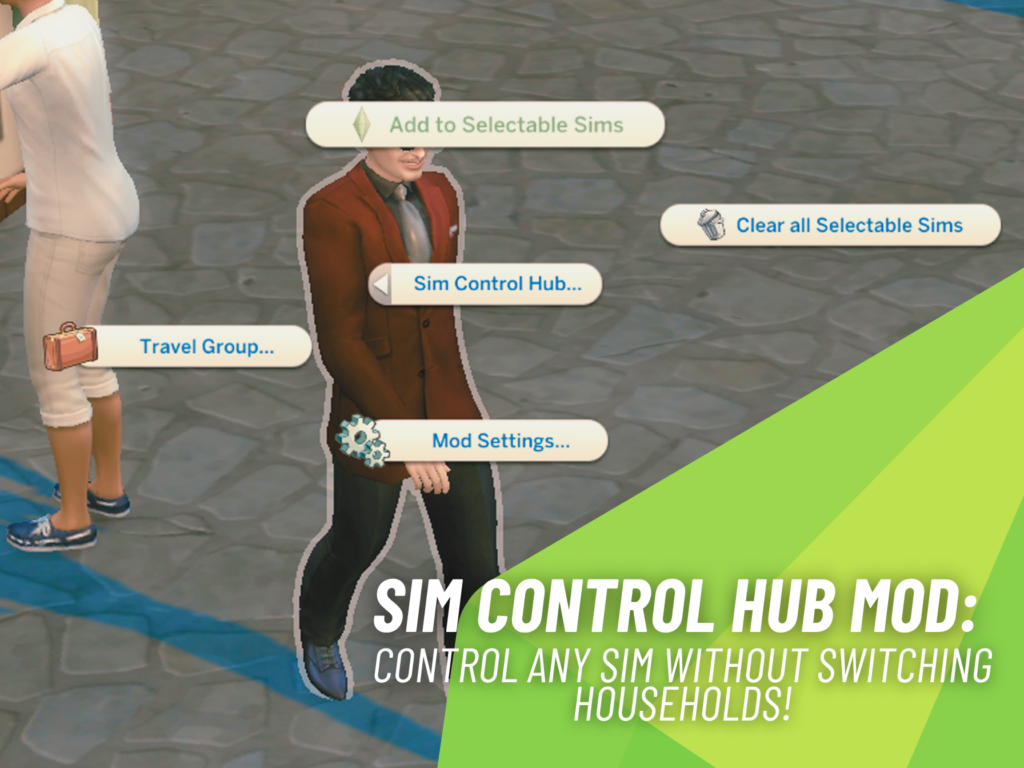
If you’ve ever wished you could temporarily control a townie, a friend, or even a pet from another household without permanently switching families, Sim Control Hub created by DQuiet might become one of your favorite new Sims 4 mods. This powerful script mod expands the game’s selectable Sims system, letting you take direct control of almost any Sim you meet while keeping your main household intact.
Instead of constantly jumping between households through Manage Worlds, Sim Control Hub adds a simple way to bring other Sims into your control bar whenever you need them. Whether you’re creating dramatic storylines, managing multiple families, or simply experimenting with new gameplay, the mod makes it all feel surprisingly seamless.
Sim Control Hub Makes Any Sim Playable
At the heart of Sim Control Hub is the ability to add Sims and pets from other households directly into your selectable portraits at the bottom of the screen. Once added, they behave just like members of your active household, giving you full control over their actions without officially moving them in.
You can direct them around the lot, manage their needs, change their outfits, send them to work, build relationships, and perform nearly everything available to a normal playable Sim. When you’re finished, simply remove them from your selectable Sims and they’ll return to their previous role or situation.
A Simple Interface That Fits Naturally Into Gameplay
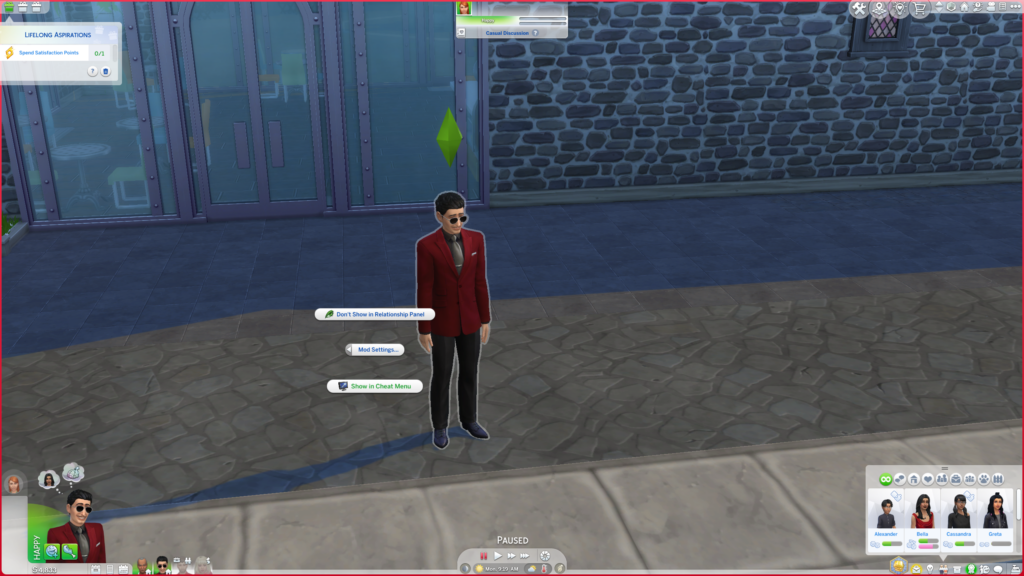
One of the biggest strengths of this mod is how naturally it blends into The Sims 4. Instead of introducing complicated menus, Sim Control Hub integrates directly into the game’s existing pie menu and Relationship Panel.
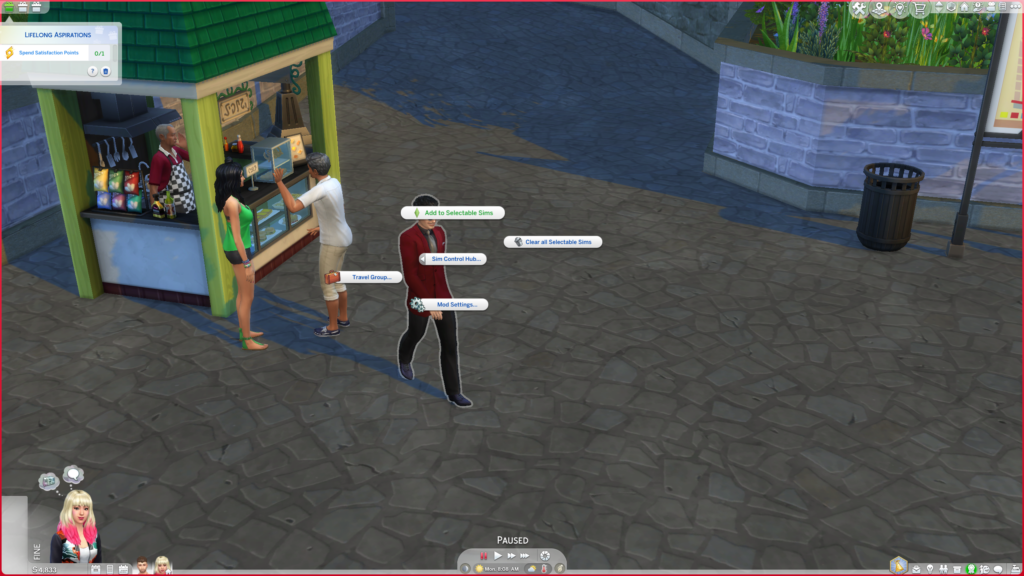
By clicking on any non-playable Sim, you’ll find the new Actions > Sim Control Hub > Add to Selectable Sims option. Players who prefer a cleaner interface can even customize where the mod appears, choosing between the regular pie menu, the Shift + Click cheat menu, or the Relationship Panel.
Built for Storytellers and Rotational Players
For Simmers who enjoy storytelling or rotational gameplay, this mod opens up countless new possibilities.
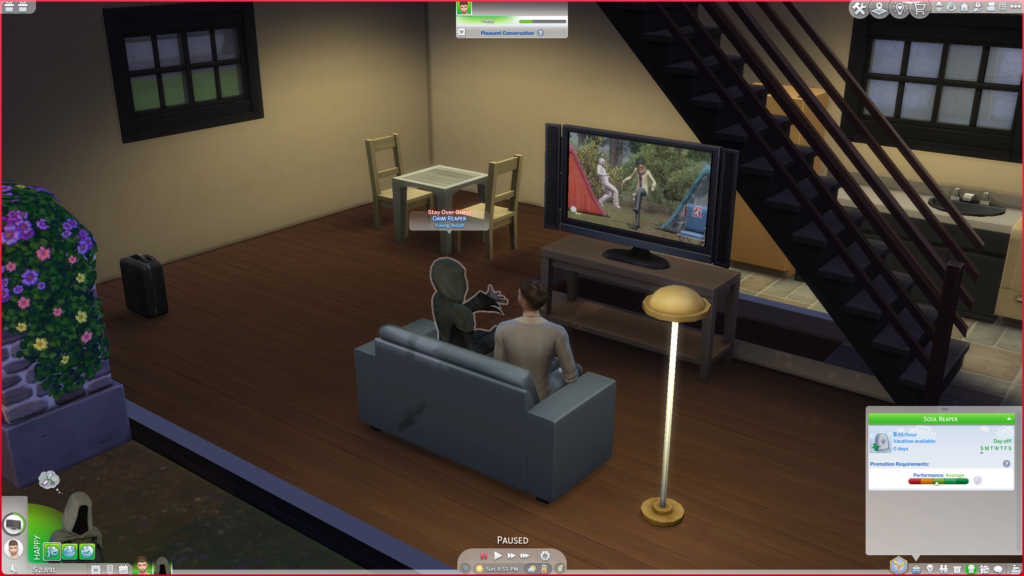
You can instantly take control of important NPCs during a scene, coordinate interactions between multiple households, manage complex family gatherings, or direct every participant in a special event without constantly changing active households. It also makes creating cinematic screenshots and machinima much easier since every important Sim can be controlled at the same time.
Even players who simply enjoy managing neighborhood stories will appreciate how much smoother it becomes to coordinate different families without interrupting the flow of gameplay.
More Than Just Adding Playable Sims
Sim Control Hub includes several additional interactions that help manage temporary playable Sims throughout your save.
Players can remove individual selectable Sims, clear every added Sim from the control bar, customize where the mod appears in-game, and enable or disable Relationship Panel support whenever they like. The mod also introduces several travel-related tools, including starting unlimited Stay Overs, ending travel groups, adding Sims to existing travel groups, or removing them whenever needed.
These extra utilities make the mod feel like a complete management system rather than just a simple “make playable” feature.
Lightweight Performance With Safe Removal
Another welcome feature is how lightweight the mod is behind the scenes.
According to the creator, Sim Control Hub does not add new traits, buffs, or permanent gameplay objects to Sims. Instead, it relies on custom scripts and cached interactions designed to keep pie menu loading times fast while minimizing unnecessary overhead.
It’s also safe to remove from your Mods folder whenever you choose, leaving no permanent traces behind in your save.
Installation Is Quick
Getting started is straightforward. Simply install the files into your Mods folder, enable Script Mods in your game settings, and launch The Sims 4.
After installation, clicking on a non-playable Sim gives you access to the Add to Selectable Sims interaction, allowing you to immediately begin controlling them alongside your active household.
As with any script mod, make sure Script Mods are enabled after installing game updates.
A Few Known Limitations
The creator also lists several known issues that players should keep in mind.
Some vanilla game bugs, such as the Stay Over “Go to Lodging” icon remaining on a Sim’s portrait after traveling, can still appear while using the mod. Players may also occasionally see interactions that normally only appear between household members when controlling Sims on their own home lot.
The biggest caution involves pet adoption while controlling a Sim from another household. Newly adopted pets currently join the active household instead of the controlled Sim’s household, so the creator recommends avoiding saving immediately afterward until everything has been verified to work correctly.
Final Thoughts
Sim Control Hub is one of those mods that can completely change how you play The Sims 4 without making the game feel overwhelming. Whether you’re directing elaborate stories, managing multiple households, or simply wanting temporary control over NPCs and pets, it offers an incredibly flexible way to play.
Stay tuned on SnootySims for the latest new gameplay mods and exciting Sims 4 updates. Be sure to follow us on on Patreon and all our social media channels, including Google, Facebook, Twitter, YouTube, Instagram, TikTok, Pinterest, and Tumblr. Happy simming, Simmers!

Your Author: Hi! I'm Keith
SnootySims @ Patreon
Discuss with the SnootySims-Community:
What are your thoughts on this post? We'd absolutely love to hear your opinion! Feel free to drop a comment and share your thoughts. If you happen to spot a broken link or notice any outdated mods or custom content, please give us a heads up. We're a small team of Sims enthusiasts doing our best, and sometimes, we might miss a little hiccup. Your feedback means the world to us, and we appreciate your support immensely. Thank you a bunch! 🌈🎮